BRUSH CUTTER EXCELION 2 DH
53_153238-A
5. USING THE TOOL
5.1. POWERING THE TOOL ON AND OFF
5.1.1. POWER ON
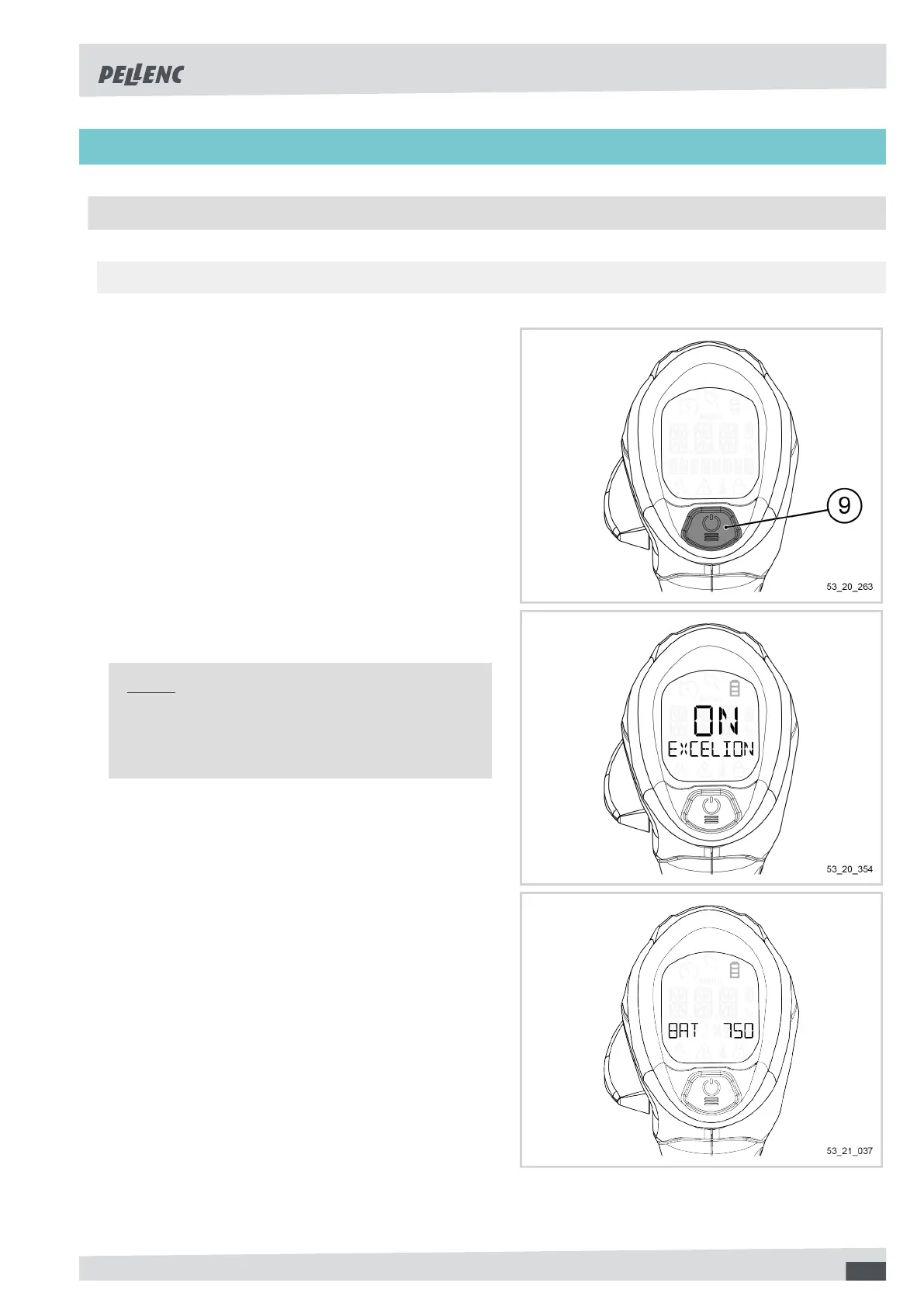
1. Press and hold the POWER / MENU button (9) for
3 seconds.
2. Make sure the tool turns on. The screen lights up in
blue.
Note
To power on your Excelion 2 DH, it is not necessary
to turn on your battery beforehand. In fact, the bat-
tery is switched on from the tool handle.
3. Make sure the screen displays the name of the bat-
tery.
If the screen displays "BATTERY NOT RECOGNI-
ZED", refer to Section 7, « Incidents and trouble-
shooting ».
43



 To Next Page