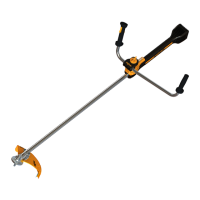
BRUSH CUTTER EXCELION 2 DH
53_153238-A
7.2. SUMMARY OF DISPLAY SCREEN MESSAGES
Fault messages appear on the HMI screen of the tool.
Diagnostics
display codes
Designation Probable cause Checks Solutions Repairer
User
Allow the tool
to cool down
User
Fault 4 Temperature fault
Tool tempera-
ture too high
Authorised PEL-
LENC distributor
Tool check
Authorised PEL-
LENC distributor
Fault 5
Communi-
cation fault
Communication
between the tool
and the batte-
ry is interrupted
Authorised PEL-
LENC distributor
Check cables
and connectors
Authorised PEL-
LENC distributor
The battery
connector on
the tool no
longer works
Authorised PEL-
LENC distributor
Check cables,
connectors
and battery
Authorised PEL-
LENC distributor
Fault 6 Battery fault
Non compa-
tible battery
User
Use a compa-
tible battery
User
Trigger pres-
sed at start-up
User
Do not press
the trigger
User
Fault 7 Sensor fault
Magnet fault
Authorised PEL-
LENC distributor
Change
the magnet
Authorised PEL-
LENC distributor
Menu but-
ton pressed
when starting
the machine
User
Release the
Menu button
User
Fault 8 Menu button fault
Menu but-
ton blocked
Authorised PEL-
LENC distributor
Change the
Menu button
Authorised PEL-
LENC distributor
Selector pres-
sed when star-
ting the machine
User
Release
the selector
User
Fault 9 Selector fault
Selector blocked
Authorised PEL-
LENC distributor
Change selector
Authorised PEL-
LENC distributor
Important
Never attempt to dismantle the tool, under penalty of cancellation of the warranty. Contact your authorised
repair person.
74



 To Next Page