BRUSH CUTTER EXCELION 2 DH
53_153238-A
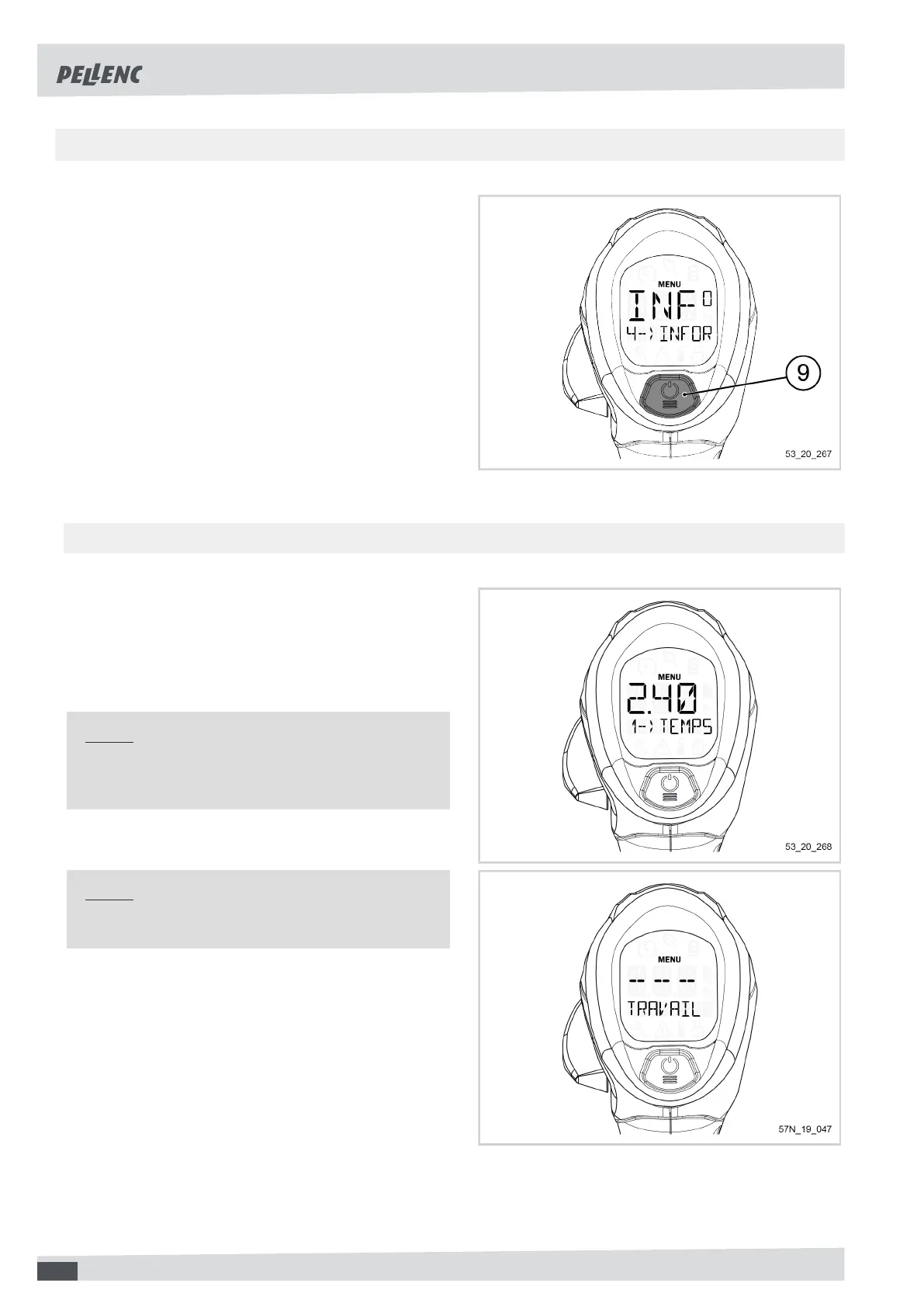
5.5.3. "INFORMATION" MENU AND ACCESS TO MACHINE SETTINGS
Access to the "Information" menu:
1. Access the tool menu (refer to Section 5.5.1, « Brow-
sing in the menu »).
2. Click several times on the POWER / MENU button
(9) so as to scroll through the different cutting heads
available on the tool and access the menu "4 - IN-
FORMATION".
3. Press and hold the POWER / MENU button (9) to
enter the "Information" menu
The user accesses the tool settings.
-
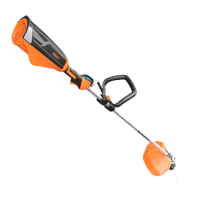
5.5.3.1. WORKING TIME (HOURS) DISPLAY
1. Access the "Information" menu (refer to Sec-
tion 5.5.3, « "Information" menu and access to ma-
chine settings ».
The first parameter to be displayed on the screen is the
menu "1 - WORKING TIME-HRS".
Note
From 10 hours, the display is in increments of one
hour.
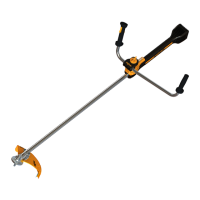
Note
Below 10 minutes worked, the display shows "- - -".
52


 To Next Page