BRUSH CUTTER EXCELION 2 DH
53_153238-A
The handle must not move.
If the handle is still able to pivot, the adjusting knob lacks
sufficient clamping force and the handle need to be tigh-
tened further. It is then possible to adjust the handle tigh-
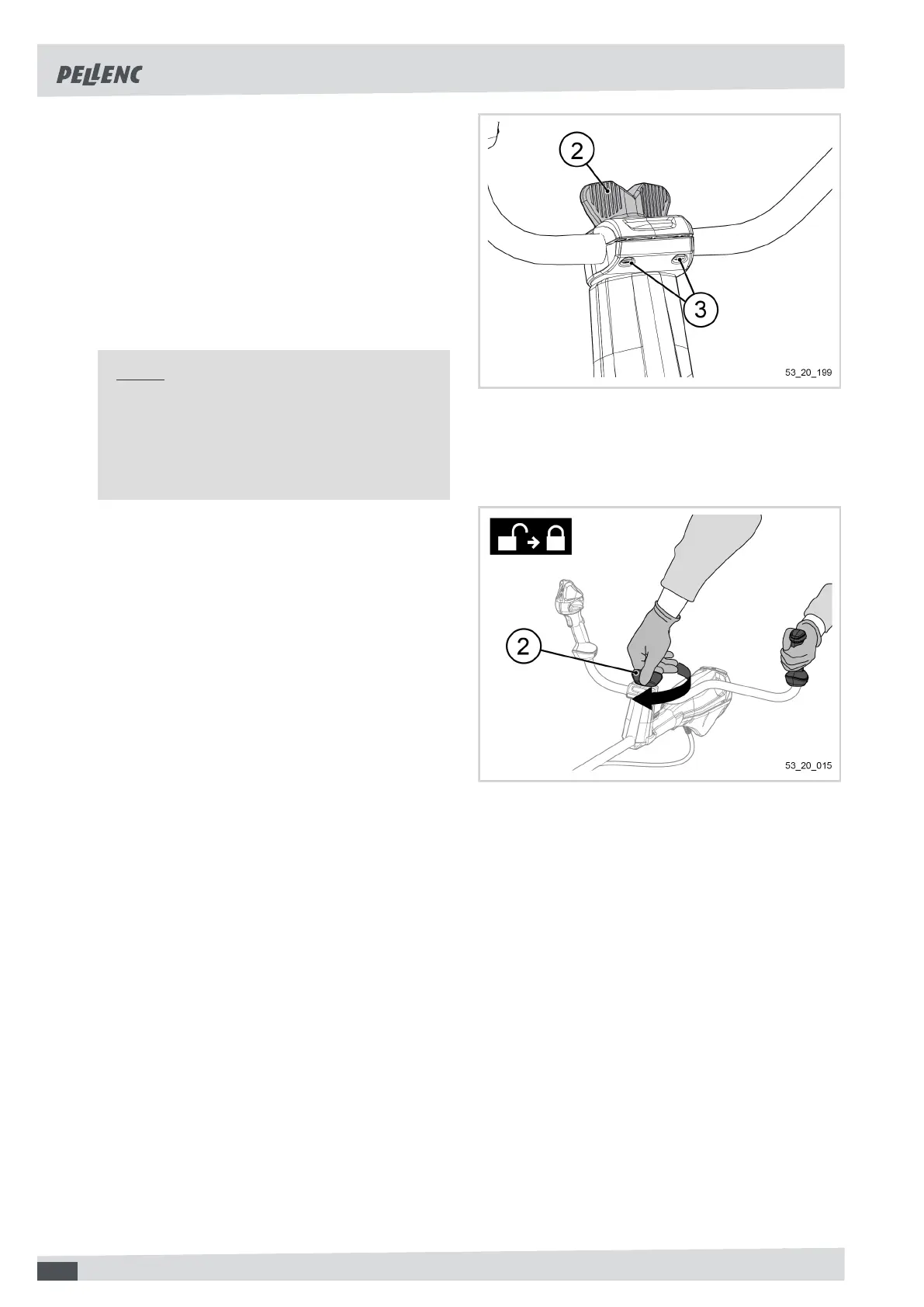
tening adjustment screws (3):
Adjusting the handle tightening screws
1. Slightly unscrew the handle adjustment knob (2).
2. Slightly tighten the two handle tightening adjustment
screws (3) using the Torx 25 wrench (22).
Note
The tightening must be identical on the two
screws.
A space must remain at the level of the handle
support.
3. Tighten the handle adjustment knob (2) while exer-
ting downward pressure, firmly holding the left
handle grip of the tool.
42


 To Next Page