BRUSH CUTTER EXCELION 2 DH
53_153238-A
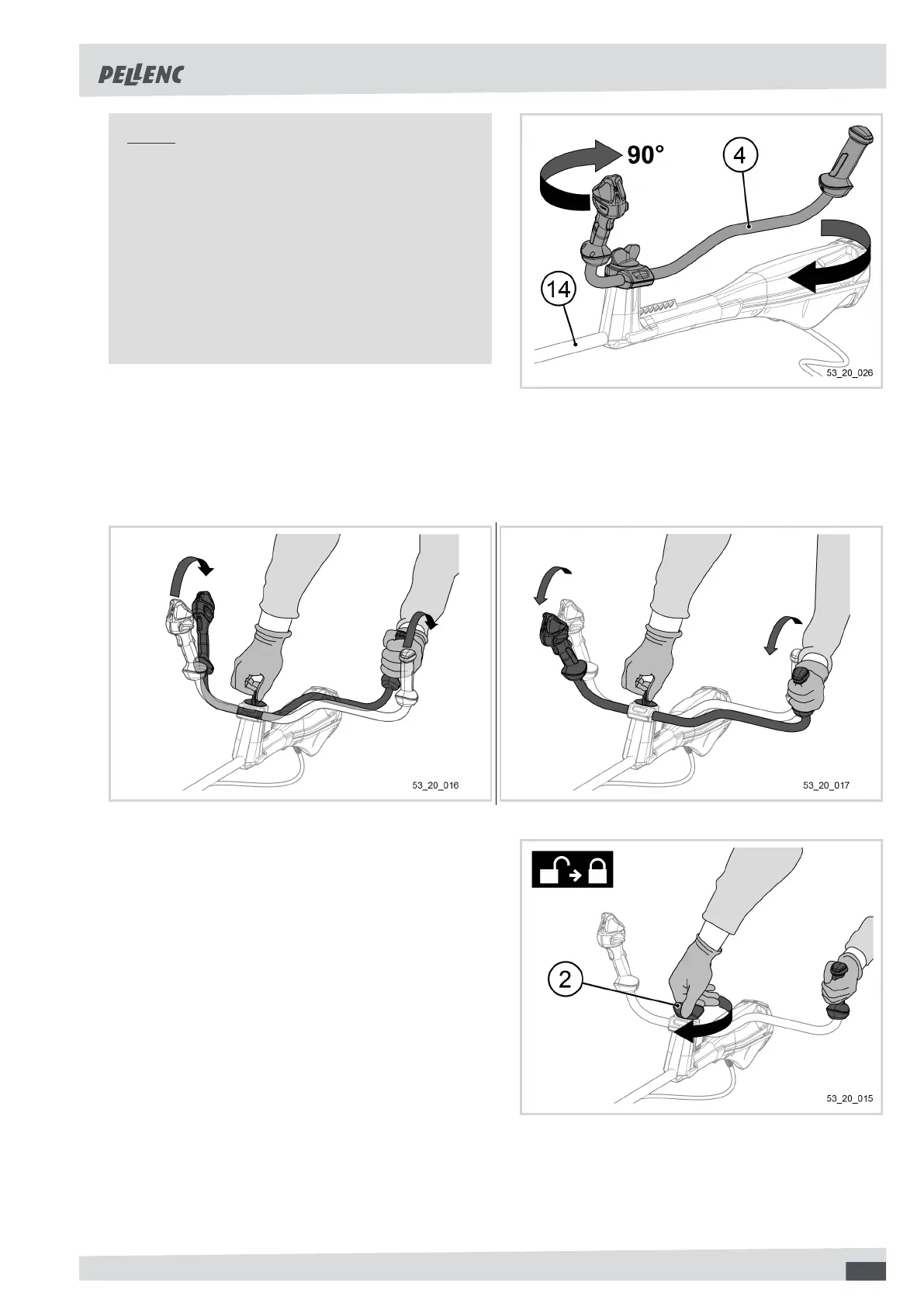
Note
If the tool's handle is in the storage
position:
1. Unscrew the adjustment knob (2) until it
"clicks" to unlock the handle (4),
2. Pivot the handle (4) clockwise so as to position
it perpendicular to the transmission shaft (14).
A notch indicates that the handle has reached
a stop and is therefore correctly positioned.
2. To adjust the handle, adjust the arm-handle distance by bringing it back towards the user or, alternatively, by
pushing it towards the front of the machine.
The aim is to obtain a comfortable position for the operator. The arms should not be stretched or completely
bent.
3. When the user has found a suitable position, screw
in the handle adjustment knob (2) while exerting
downward pressure, firmly holding the left handle
grip of the tool.
41


 To Next Page