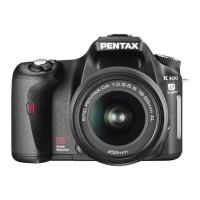
Once
the
camera
is
ready
for
use,
you
can
start
taking
pictures.
eletting
the
Camera
Choose
the
Optimal
Senings
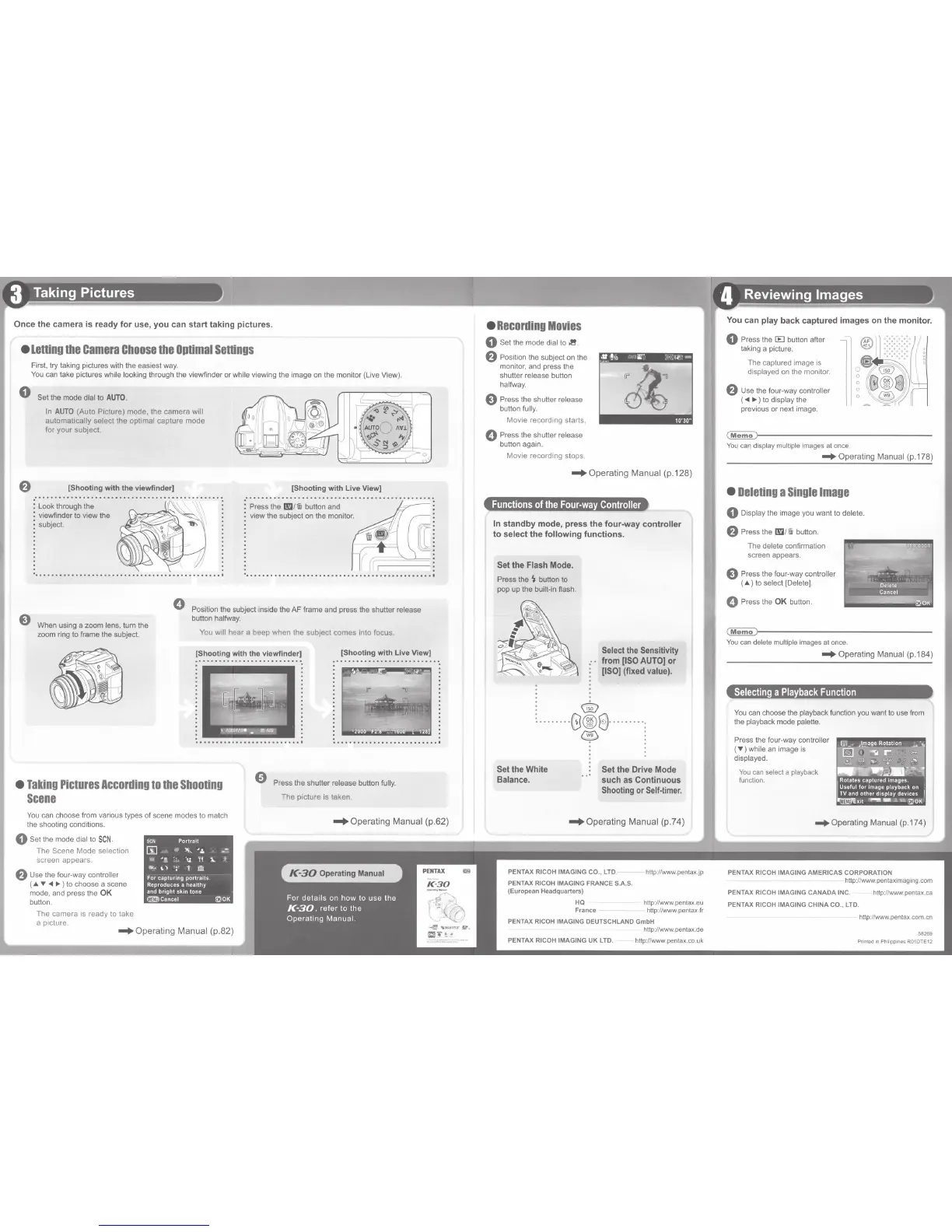
First, try taking pictures with the easiest
way.
You
can take pictures while looking through the viewfinder or while viewing the image
on
the monitor (Live View).
0
Set the mode dial
to
AUTO.
In
AUTO
(Auto Picture) mode, the camera will
automatically select the optimal capture mode
for your subject.
f)
[Shooting
with
the viewfinder]
Look through the
viewfinder to view the
subject.
[Shooting
with
Live View]
••
0
•••••••••••
0 0 0 0
•••
0
•••••
0 0
•••
0
•••
0 0 0
••••••
0.
~
: Press the
1!!1/Wi
button and
; view the subject
on
the monitor.
·
..............................................
.
0
e
Position the subject inside the AF frame
and
press the shutter release
button halfway.
When using a zoom lens, turn the
zoom ring to frame the subject.
You
will hear a beep when the subject comes into focus.
[Shooting with the viewfinder]
[Shooting
with
Live View)
...........................
'<\
· • -
- ' '
\
.'GrlC
F<'9•..,
~~
•
Taking
Pictures
According
to
the
Shooting
Scene
0
Press the shutter release button fully.
You
can
choose from various types of scene modes to match
the shooting conditions.
0 Set the mode dial
to
SCN
.
T
he
Scene Mode
se
lecti
on
sc
reen
ap
p
ea
r
s.
f)
Use
the four-way controller
(-"~<II~)
to
choose a scene
mode, and press the
OK
button.
Th
e camera is ready
to
take
a picture.
SCN
Portrait
5J
,.,
~
'.:.
--
...
"'
II.
:
o.
-~
~i
~ &
lb;...
\,)
: - t @
For
captunng
portraits
Reproduces a healthy
and
bnght
skm
tone
crm!)Cancel ~OK
-+Operating
Manual
(p.82)
The picture is taken.
-+Operating
Manual
(p.62)
•
Recording
Movies
0 Set the mode dial
to
:1!.
f)
Position the subject
on
the
monitor,
and
press the
shutter release button
halfway.
e Press the shutter release
button fully.
Movie recording starts.
0 Press the shutter release
button again.
Mov
ie
recording stops.
-+Operating
Manual
(p.128)
Functions
of
the
Four-way
Controller
In
standby
mode,
press
the
four-way
controller
to
select
the
following
functions.
Set
the
Flash
Mode.
Press the
~
button
to
pop up the built-in flash.
: ®
Select the
Sensitivity
from
[ISO
AUTO)
or
[ISO)
(fixed
value).
:
...
.
....
0®8
···
·
·····:
Set
the
White
Balance.
~
:
Set
the
Drive
Mode
such
as
Continuous
Shooting
or
Self-timer.
-+Operating
Manual
(p.74)
PENTAX
RICOH IMAGING CO., LTD.
PENTAX RICOH IMAGING
FRANCE
S.A.S.
http://www.pentax.jp
(European Headquarters)
HQ http:l/www.pentax.eu
France http:l/www.pentax.fr
PENTAX RICOH IMAGING DEUTSCHLAND GmbH
PENTAX RICOH
IMAGING
UK
LTD.
http://
www
.pentax.
de
http:l/www.pentax.co.uk
You
can
play
back
captured
images
on
the
monitor.
0 Press the
EEl
button after
taking a picture.
The captured
im
age is
display
ed
on
th
e monitor.
f)
Use the four-way controller
(
<11
~)
to
display the
previous or next image.
~~------------------------------
You
can display multiple images at once.
-+Operating
Manual (p.178)
•
Deleting
a
Single
Image
0 Display the image
you
want to delete.
f)
Press the
I!!J/Wi
button.
The delete confirmation
screen appears.
e Press the four-way controller
( & )
to
select [Delete].
0 Press the
OK
button.
~~--------------------------------
You
can delete multiple images
at
once.
-+Operating
Manual (p.184)
Selecting
a
Playback
Function
You
can
choose the playback function
you
want
to
use
from
the playback mode palette.
Press
the
four-way controller
(
~)
while
an
image
is
displayed.
Yo
u c
an
selec
t a playb
ac
k
function.
-+Operating
Manual
(p.174)
PENTAX RICOH IMAGING
AMER
I
CAS
CORPORATION
http:l/www.pentaximaging.com
PENT
AX
RICOH IMAGING
CANADA
INC.
PENT
AX
RICOH IMAGING
CHINA
CO
., LTD.
http://www.pentax.ca
http:l/www.penta
x.
com.cn
58269
Printed
in
Philippines R01DTE12


 To Next Page