108
Shooting Functions
4
4
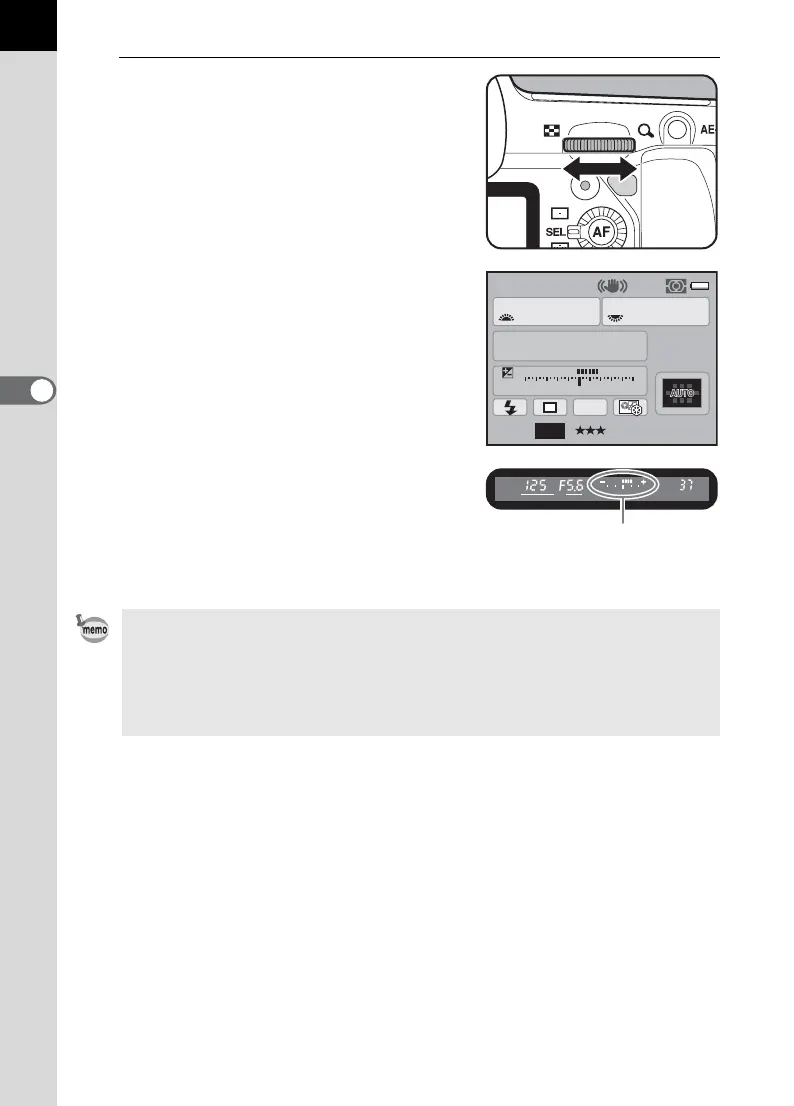
Turn the rear e-dial (S) to
adjust the aperture.
Aperture range depends on the lens in
use.
The shutter speed and aperture value are
displayed on the status screen and LCD
panel and in the viewfinder.
While adjusting the shutter speed or
aperture value, the difference from the
appropriate exposure (EV value) is
displayed in a bar graph. The appropriate
exposure is achieved when the indicator
is displayed in the center of the bar graph.
• When the sensitivity is set to [AUTO] and the exposure mode is set to a
mode, the sensitivity is the lowest sensitivity set in “Setting the Range of
Automatic Sensitivity Correction” (p.90).
• Set the shutter speed and aperture values in increments of 1/3 EV or 1/2 EV.
Set the exposure steps in [1. EV Steps] in the [A Custom Setting 1] menu.
(p.116)
AF.S
1/
ISO
125
100
5.6
F
11223344+5
-
5
AWB
[
37
]
M
JPEG
14M
Difference from the
appropriate exposure



 To Next Page