21
Before Using Your Camera
1
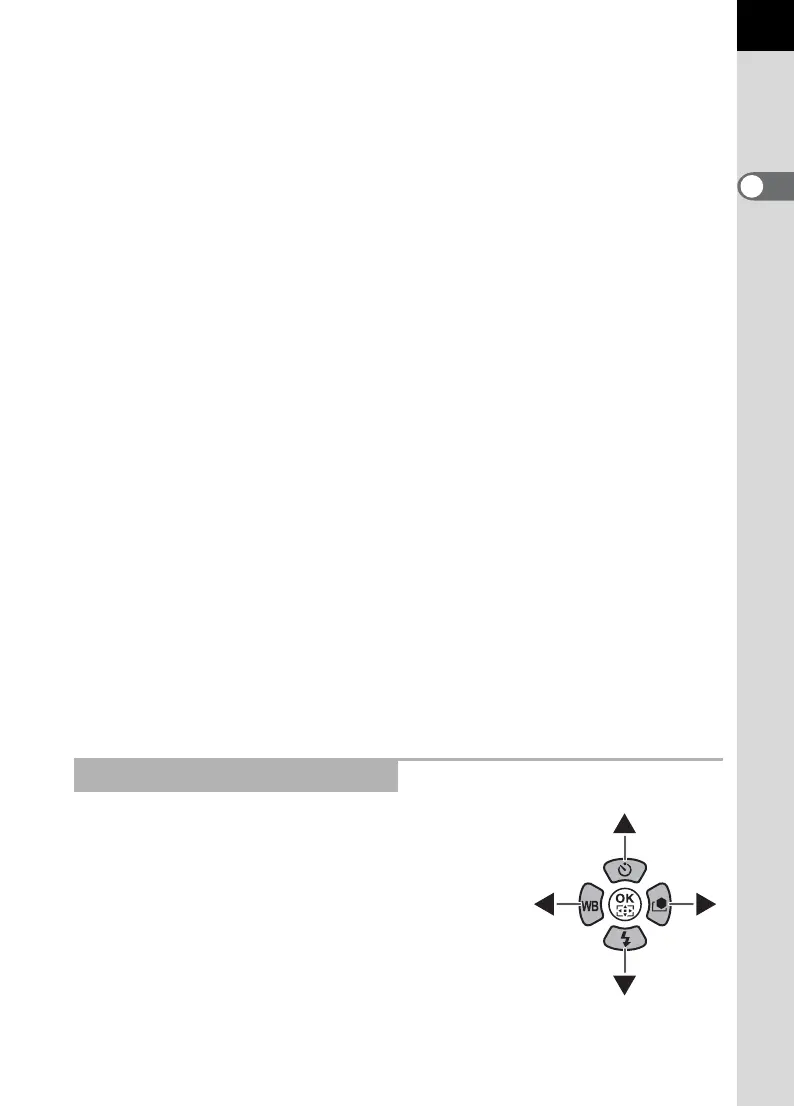
In this Operating Manual, the buttons of the four-
way controller are referred to in the following way.
1 m button
Press in the enlarged view to
increase the magnification.
(p.214)
2 Shutter release button
Press halfway to switch to
Capture mode.
3 Main switch
Move to turn the power on/off.
(p.56) Set to the | position to
switch to Capture mode and
preview.
4 Front e-dial (R)
Displays the next or previous
image.
5 i button
Press to delete images. (p.79)
6 Q button
Press to switch to Capture
mode.
7 M button
Press to display the shooting
information on the monitor.
(p.25)
8 Rear e-dial (S)
Use this to change the
magnification in the enlarged
view (p.214) and display
multiple images at the same
time (p.216).
9 | (Green) button
Press in the enlarged view to
decrease the magnification.
(p.214)
0 4 button
Saves the item you selected in
the menu.
a Four-way controller
(2345)
Press 3 to display the
playback mode palette
(p.212). When a menu screen
is displayed, use this to move
the cursor or change items.
b 3 button
Press to display the
[Q Playback 1] menu
(p.213). Next, press the four-
way controller (5) to display
other menus.
References to Button Names



 To Next Page