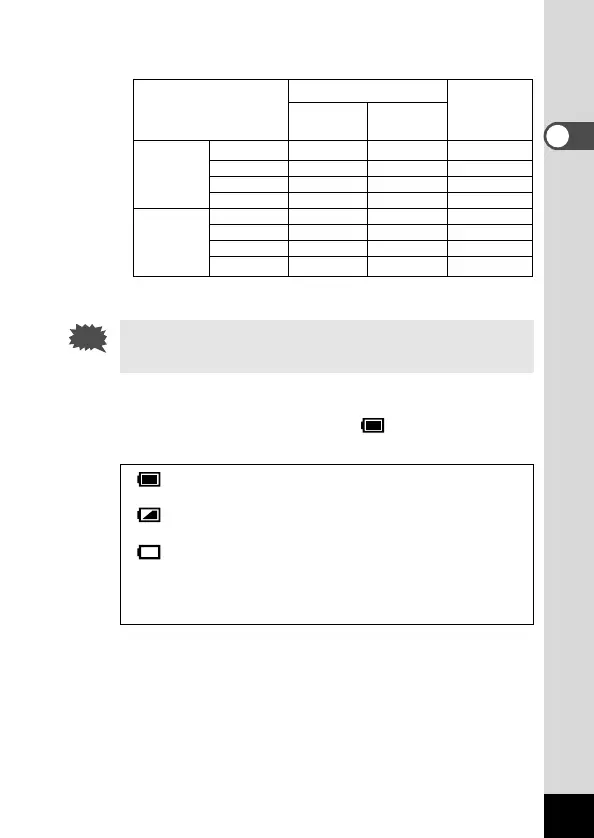
● Approximate Operating Time (when new batteries are
loaded)
Number of recordable images
LCD monitor LCD monitor Playback time
ON OFF
With the
CR-V3 lithium
500 650 —
flash fired AA lithium 400 450 —
for 50% of AA NiMH 200 250 —
the shots AA alkaline 100 200 —
Without
CR-V3 lithium
600 850 240
the flash AA lithium 450 650 180
AA NiMH 250 300 100
AA alkaline 150 300 30
* The above table is based on Pentax measuring conditions and may vary
depending on capture mode and shooting conditions.
Performance of the battery may deteriorate in low tempera-
tures.
● Battery Level Indicator
You can check the battery level by the symbol displayed on
the LCD monitor.
(lit green) : Adequate power remains.
↓
(lit yellow) : Battery remains half.
↓
(lit red) : Battery is exhausted.
↓
[Battery depleted] : After the message is displayed, the camera
will turn off.











 To Next Page