96
Playback/Erasing
Disconnecting your camera from your PC (Windows XP)
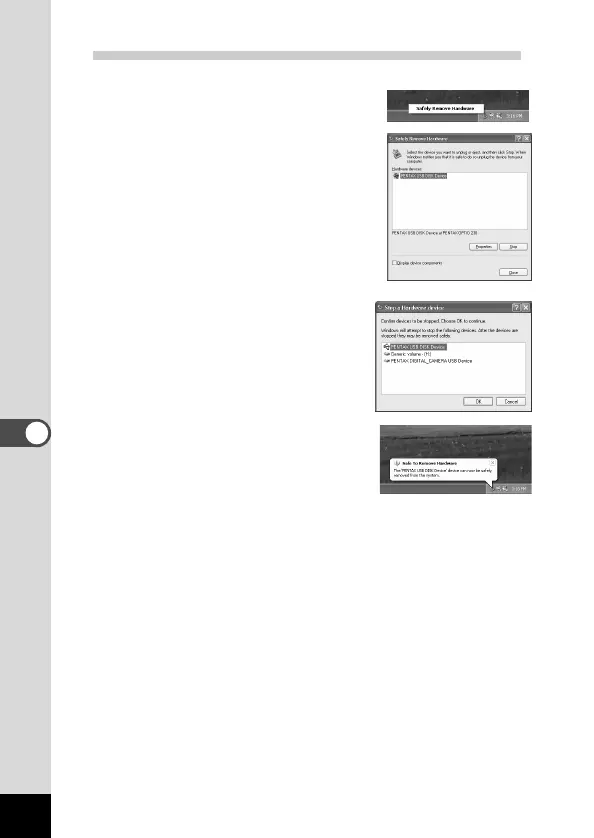
z Click [Remove Hardware icon] on
the task bar.
x Make sure [PENTAX USB Disk
Device] is selected and click
[Stop].
c Make sure [PENTAX USB Disk
Device] is selected and click [OK].
v A message confirming removal of
the hardware will appear. Turn the
camera off and disconnect your
camera from your PC.











 To Next Page