Adjusting the Brightness of the LCD Monitor
162
6
Settings
1 Press the 3 button.
The [Menu] appears.
2 Touch [Setting].
• The Setting screen appears.
• If the desired icon does not appear, touch the arrow icons (qr) to
advance the screen.
3 Touch q or r.
The next page of the Setting screen appears.
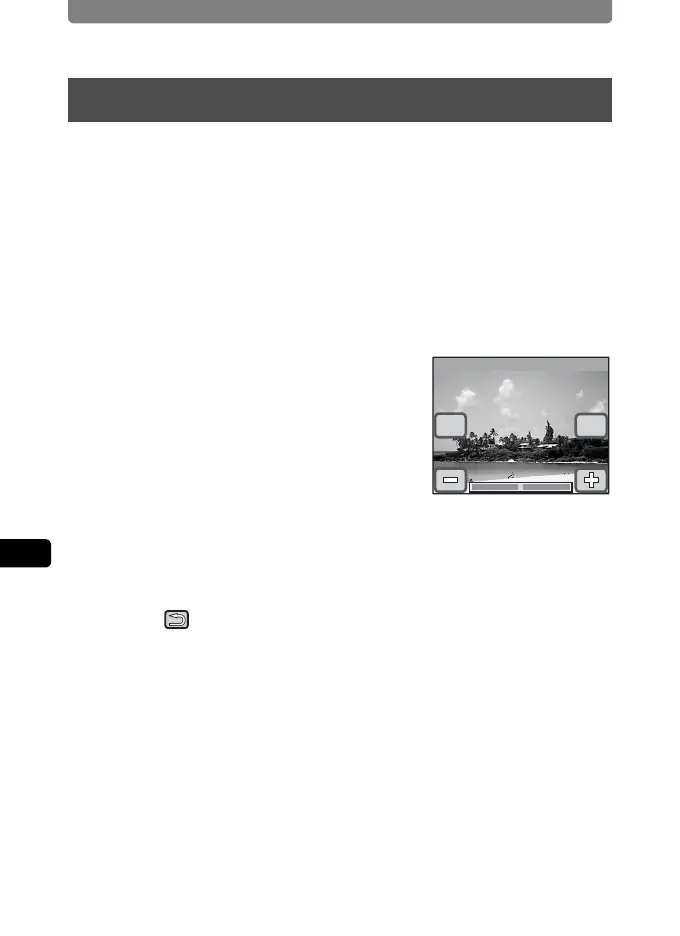
4 Touch [Brightness Level].
The Brightness Level screen appears.
5 Touch the p or q icon to adjust
the brightness.
• Touch the p icon to make the monitor
darker and the q icon to make the monitor
brighter.
• You can also drag the cursor along the bar to the desired setting.
6 Touch [OK].
The setting is saved and the screen returns to the previous screen.
7 Touch twice.
The camera returns to Capture mode.
Adjusting the Brightness of the LCD Monitor
Cancel
Brightness Level
OK
+4
+4



 To Next Page