Setting the Guide Display
165
6
Settings
You can choose whether or not the guide display will appear when an icon
is touched on the [Capture Palette] or [Playback Palette]. The guide
display provides a description of each icon’s function.
1 Press the 3 button.
The [Menu] appears.
2 Touch [Setting].
• The Setting screen appears.
• If the desired icon does not appear, touch the arrow icons (qr) to
advance the screen.
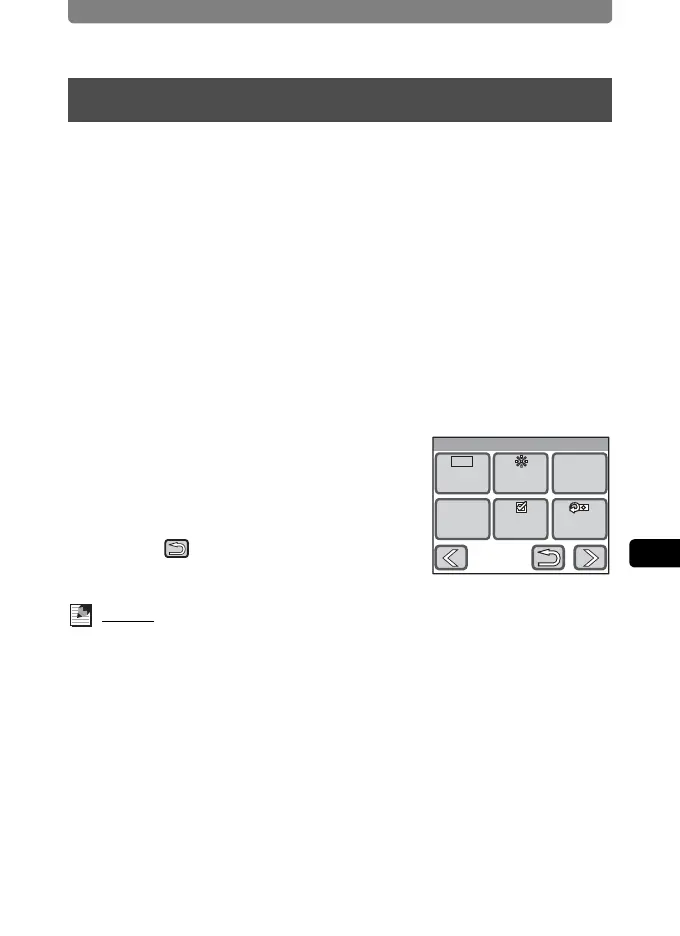
3 Touch q or r.
The next page of the Setting screen appears.
4 Touch [Guide Display].
The setting changes to O (On) or P (Off).
O : Turns on the guide display.
P : Turns off the guide display.
5 Touch twice.
The camera returns to Capture mode.
Memo
• Even when [Guide Display] is set to On, you can bypass it by double-
touching the icon.
• You can also turn the Guide Display on and off by touching the Guide Button
on the bottom of the Capture Palette or Playback Palette display.
Setting the Guide Display
Setting
Reset
Guide
Display
Bright
Level
Power
Saving
Video
Out
Auto
PowerOff
5sec
3min
NTSC
2/2



 To Next Page