Using the Power Saving Function
163
6
Settings
You can save battery power by setting the LCD monitor to turn off
automatically when no operations have been performed for a
predetermined time period. After the power saving function is activated, you
can turn the LCD monitor on again by pressing any button on the camera.
1 Press the 3 button.
The [Menu] appears.
2 Touch [Setting].
• The Setting screen appears.
• If the desired icon does not appear, touch the arrow icons (qr) to
advance the screen.
3 Touch q or r.
The next page of the Setting screen appears.
4 Touch [Power Saving].
The Power Saving screen appears.
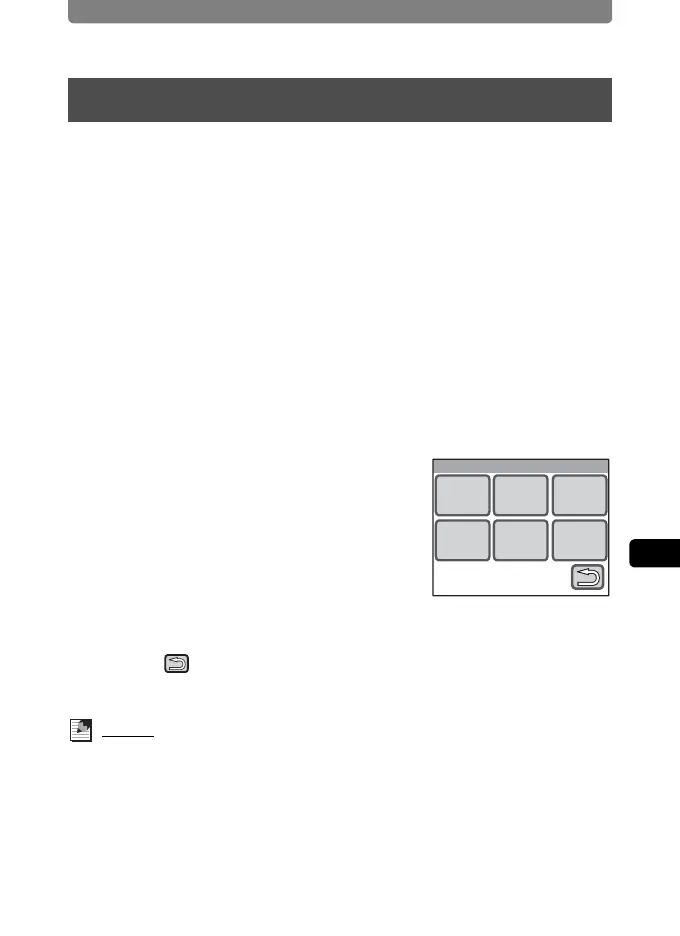
5 Choose the duration time until the
LCD monitor turns off.
• Select [30sec], [20sec], [15sec], [10sec],
[5sec], or [Off].
• The setting is saved and the screen returns
to the previous screen.
6 Touch twice.
The camera returns to Capture mode.
Memo
Power Saving does not function in the following situations:
• when using the AC adapter
• while recording a movie
• in playback mode
• during video output
Using the Power Saving Function
Power Saving
20sec30sec 15sec
Off5sec10sec



 To Next Page