Adjusting the Size, Quality Level, Brightness, and Color Tone
65
3
Taking Pictures
Adjusting the White Balance Manually (Manual)
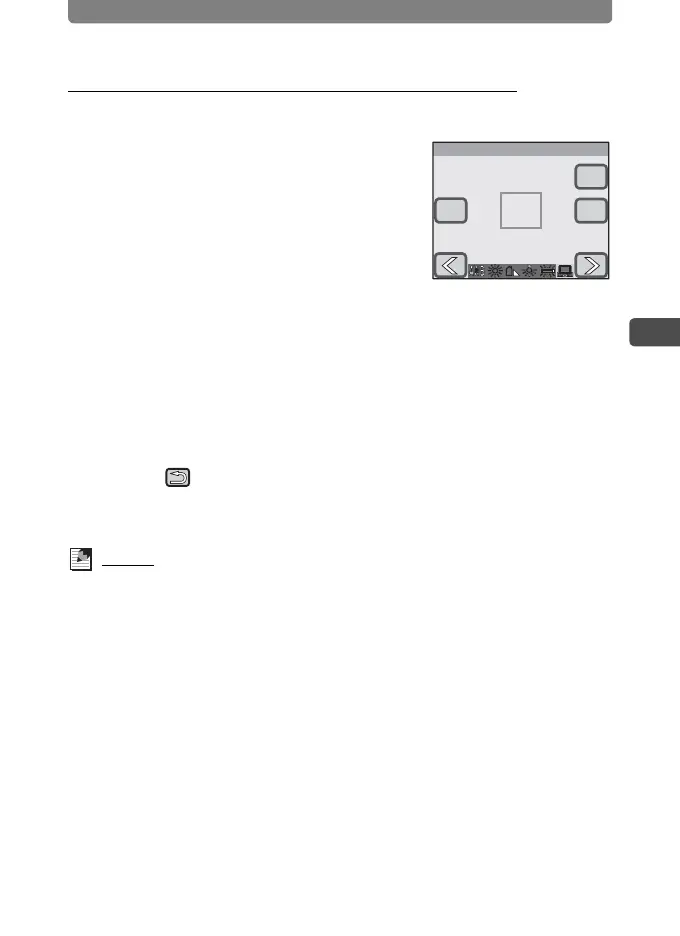
Have a blank sheet of white paper or similar material ready.
1 Select [Manual] on the White
Balance screen.
[Adj.] and the adjustment frame appear.
2 Point the camera at the blank sheet
of paper or other material so that it
fills the middle of the adjustment
frame.
3 Touch [Adj.].
The white balance is adjusted, and [Complete] appears when adjusting is
finished.
4 Touch [OK].
The setting is saved and the screen returns to the previous screen.
5 Touch twice.
• The camera returns to Capture mode.
• Press the Q button to return to Playback mode.
Memo
When you touch [OK] before pressing [Adj.], the previously adjusted white
balance value is retained even if K (Manual) is selected.
White Balance
OK
Adj.
Cancel
Manual
Manual



 To Next Page