85
4
Taking Pictures
5
Press the shutter release button
fully.
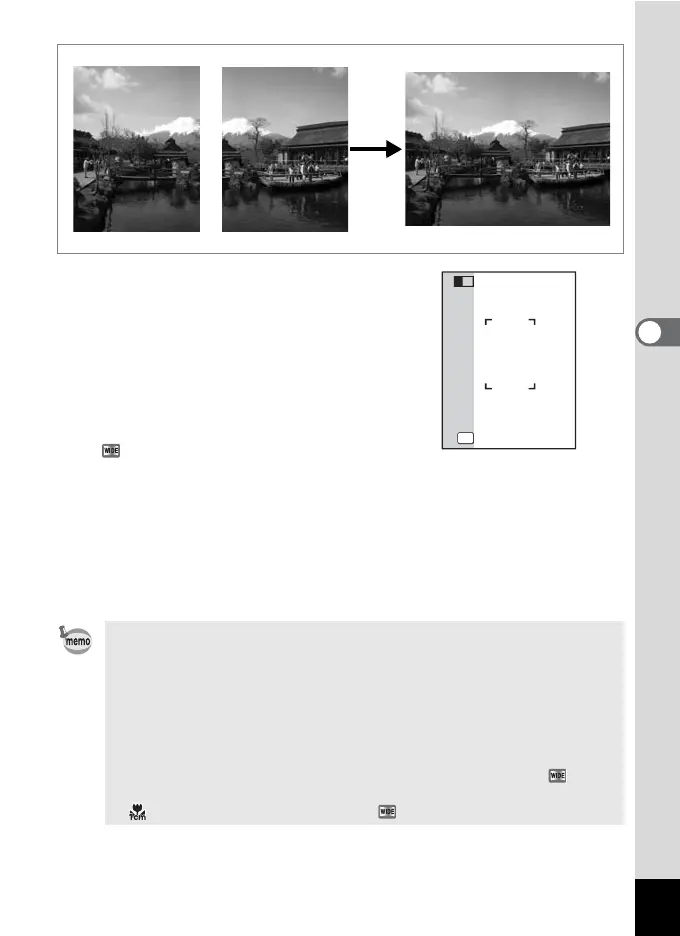
The first captured image is saved, and the
shooting screen for the second image is
displayed. Overlap the image on the
preview guide on the left of the screen to
compose your picture.
If you want to stop capturing images in the
mode, go to step 7.
6
Press the shutter release button fully.
The combined image of the first and the second shot appears on the
display for one second (Instant Review), and then it is saved in the
built-in memory or on the SD Memory Card.
The stitched image does not appear when the Instant Review is off.
• For less distortion when taking the second picture, turn the camera
to overlap the background and the preview guide on the left of the
screen.
• Some distortion may result from moving objects, repeating
patterns, or no objects in the overlapping area of the first and the
second shot.
• When the Face Recognition is activated (p.59), it works only when
taking the first image.
• The number of recorded pixels for images captured with mode
is fixed at f (2592×1944).
• (1cm Macro) is unavailable in mode.
+
OK
Exit
Exit
2












 To Next Page