82
4
Taking Pictures
In
F
(Digital Panorama) mode, take two or three frames in sequence
overlapping their edges by moving the camera horizontally. When the third
frame is taken, the images taken in sequence are automatically stitched
and the panoramic photograph is saved.
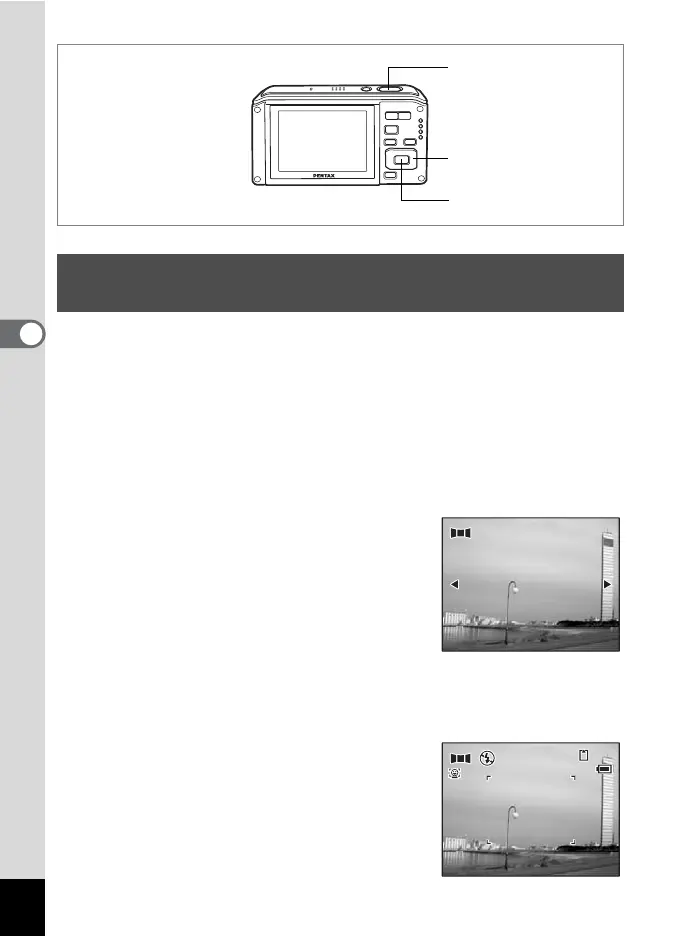
1 Press the four-way controller (3) in A mode.
The Capture Mode Palette appears.
2 Use the four-way controller (2345) to select F
(Digital Panorama).
3 Press the 4 button.
The shooting mode is selected and the
message “Set shift direction” is displayed.
4 Use the four-way controller (45) to choose the
direction in which the images will be joined.
The screen for taking the first frame is displayed.
5 Press the shutter release button
halfway.
The focus frame on the display turns green
if the subject is in focus.
Taking Panoramic Pictures (Digital Panorama
Mode)
Shutter release button
Four-way controller
4 button
Set shift direction
Set shift direction
38
38
14
:25
14:25
07/07/2008
07/07/2008
1












 To Next Page