78
3
Taking Pictures
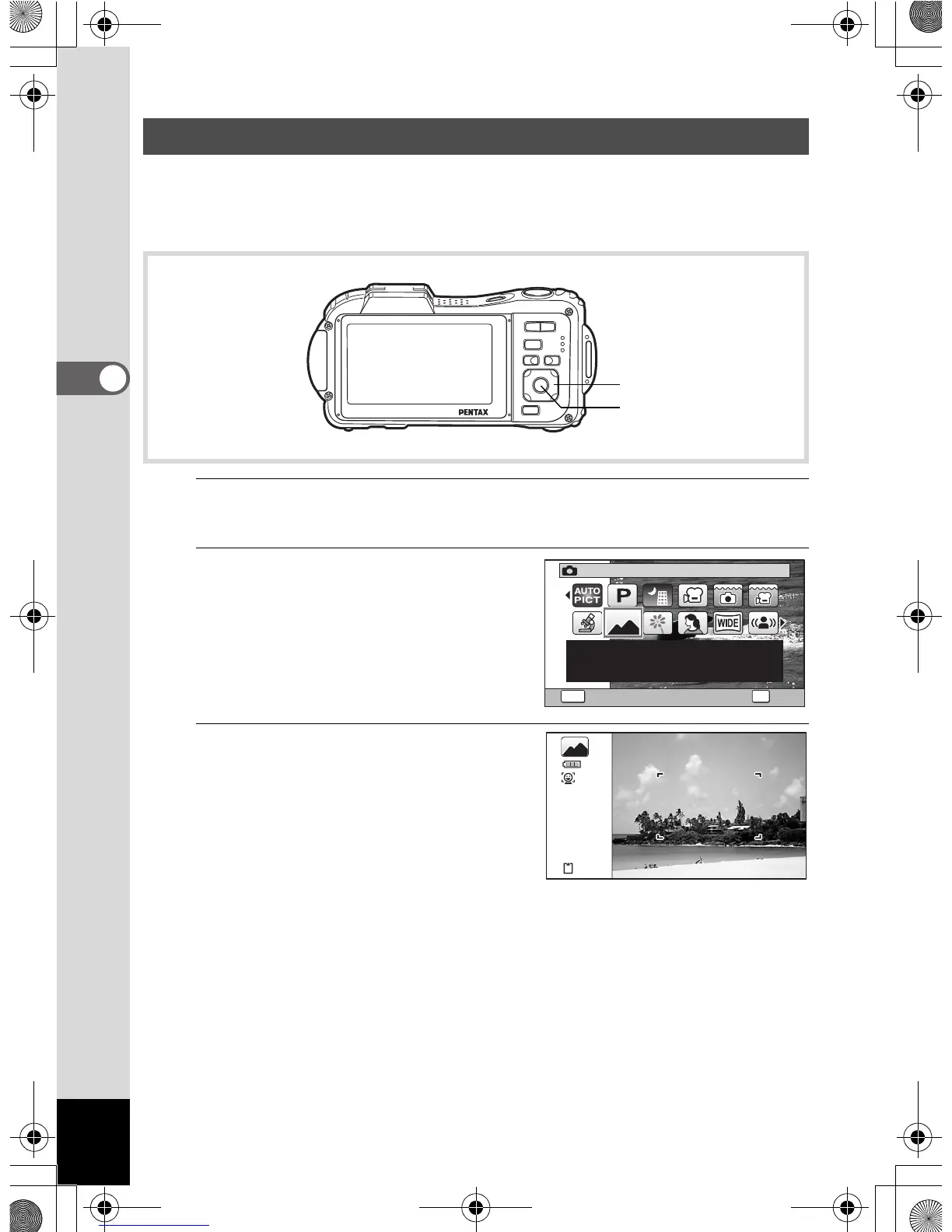
This camera has a variety of shooting modes that let you take pictures
or record movies and sound in different situations simply by choosing the
right mode for the particular situation from the Capture Mode Palette.
1
Press the four-way controller (3) in A mode.
The Capture Mode Palette appears.
2
Use the four-way controller
(2345) to choose a
shooting mode.
A guide of the selected shooting mode
is displayed in the lower part of the
display.
3
Press the 4 button.
The shooting mode is selected and the
camera returns to capture mode.
Setting the Shooting Mode
Four-way controller
4 button
Landscape
For capturing landscape
views. Enhances colors
of sky and foliage
1/2
OK
OK
MENU
Cancel
38
OptioWG1_eng.book Page 78 Friday, March 11, 2011 4:10 PM



 To Next Page
 Loading...








