308
9
Appendix
If 999 log files are saved, the camera cannot save them anymore. Insert a
new SD Memory Card or delete logs according to the following procedures
to save new ones.
1
Turn on the camera.
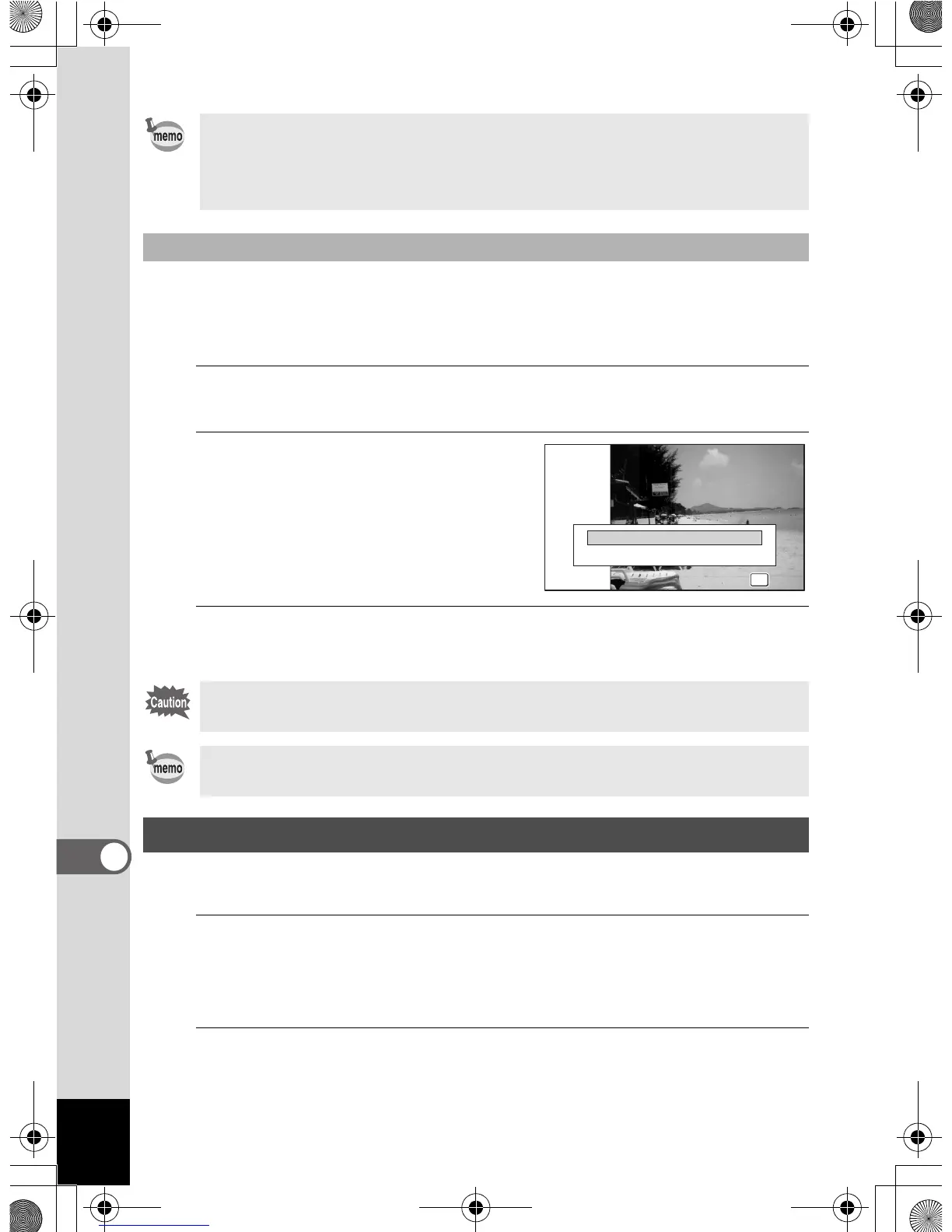
[No more logs can be recorded. Delete the record?] message is displayed.
2
Use the four-way controller (23)
to select [Delete All].
3
Press the 4 button.
All the logs are deleted and the camera returns to capture mode.
The camera corrects its clock automatically using received GPS information.
1
Press the 3 button in Q mode.
[W Setting] menu appears.
When you press the 3 button in A mode, press the four-way
controller (5) once.
2
Use the four-way controller (23) to select [GPS].
• The information saved in logs are latitude, longitude, and altitude.
• The logs cannot be played back on the camera. Transfer the logs to
your computer and use software that supports files in the KML format,
Google Earth or Google Maps, for example.
To delete logs
If you select [Cancel], you can continue taking pictures although you
cannot save logs.
If you turn on the camera in the Playback Mode, the camera returns to
Playback Mode after you have deleted logs.
Correcting time automatically
No more logs
OK
OK
Delete All
Cancel
This part applies only to Optio WG-1 GPS camera
OptioWG1_eng.book Page 308 Friday, March 11, 2011 4:10 PM



 To Next Page
 Loading...








