146
3
Taking Pictures
5
Press the 4 button.
The setting is saved.
6
Press the 3 button.
The camera returns to capture mode.
You can take pictures with clearer details by using image processing
with IQ enhancer technique.
1
Press the 3 button in A mode.
The [A Rec. Mode] menu appears.
2
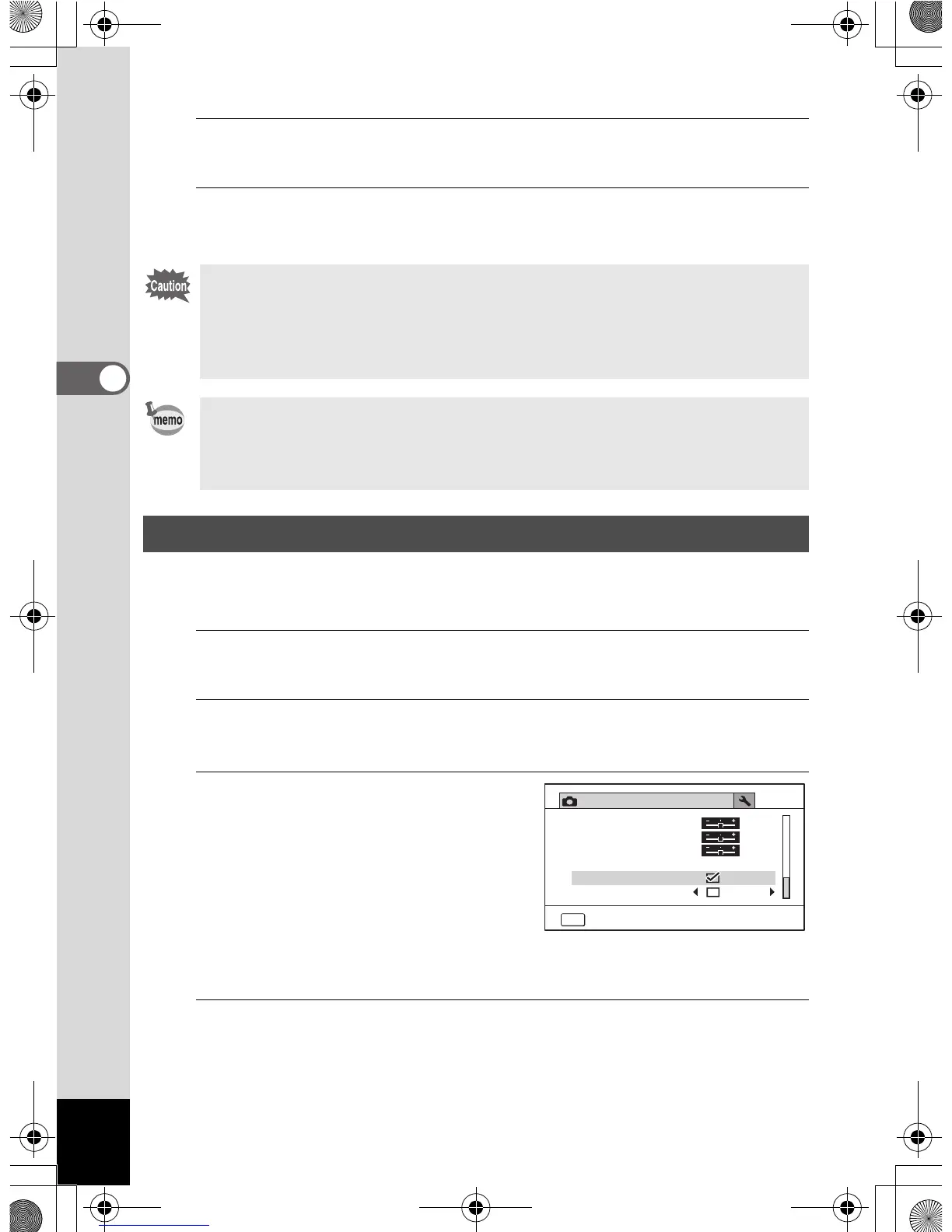
Use the four-way controller (23) to select
[IQ Enhancer].
3
Use the four-way controller
(45) to select [O (On)/
P (Off)].
O (On) IQ enhancer function
is enabled
P (Off) IQ enhancer function
is disabled
The setting is saved.
4
Press the 3 button.
The camera returns to capture mode.
• The date and/or time imprinted with the [Date Imprint] function cannot
be deleted.
• Note that if the printer or the image editing software is set to print the
date and the images to be printed already have the date and/or time
imprinted, the imprinted dates and/or times may overlap.
• O
appears on the display in
A
mode when [Date Imprint] is set to
any setting other than [Off].
• The date and/or time are imprinted on the picture with the display
format set in the [Date Adjustment] screen (p.55).
Setting the IQ Enhancer Processing
Rec. Mode
4/4
MENU
Exit
Saturation
Date Imprint
Macro Light
Off
Contrast
Sharpness
IQ Enhancer
OptioWG1_eng.book Page 146 Friday, March 11, 2011 4:10 PM



 To Next Page
 Loading...








