VisuNet RM Shell 6
System Settings App
2023-05
89
8.5 Display & Touchscreen Type
8.5.1 Configuring a Single Monitor
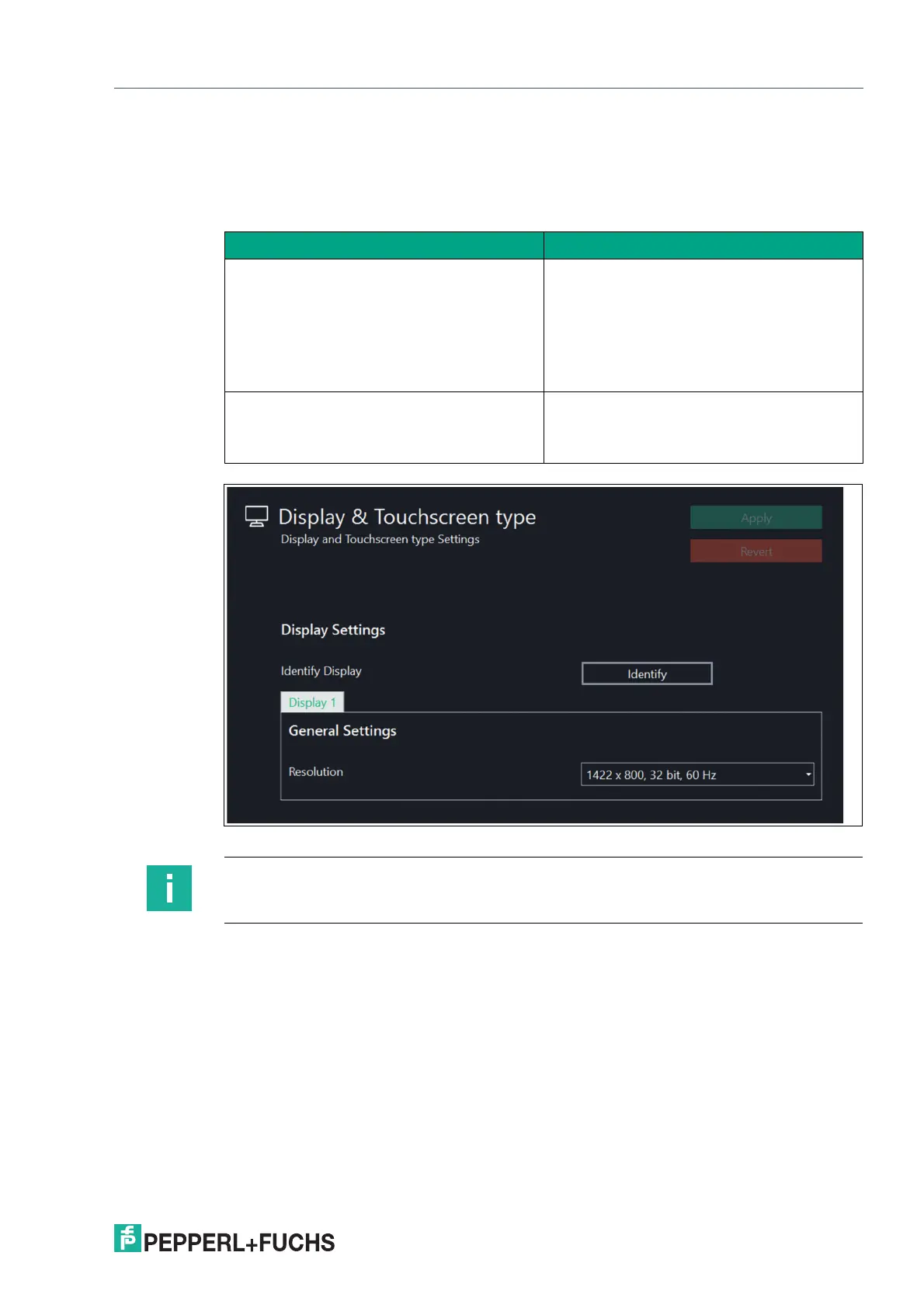
Figure 8.9
Function Description
Identify Display If you are using systems with more than one
external display (e.g., extended desktop sys-
tems,
Pepperl+Fuchs BTC), this button is shown.
Use the button to identify the different dis-
plays. The
number of the respective display is shown on
each monitor.
Resolution Choose the resolution, color depth, and
refresh frequency.
For best results, choose the highest native
resolution possible.
Note
We recommend using the default settings.


 To Next Page