162
Channels
Field Descriptions
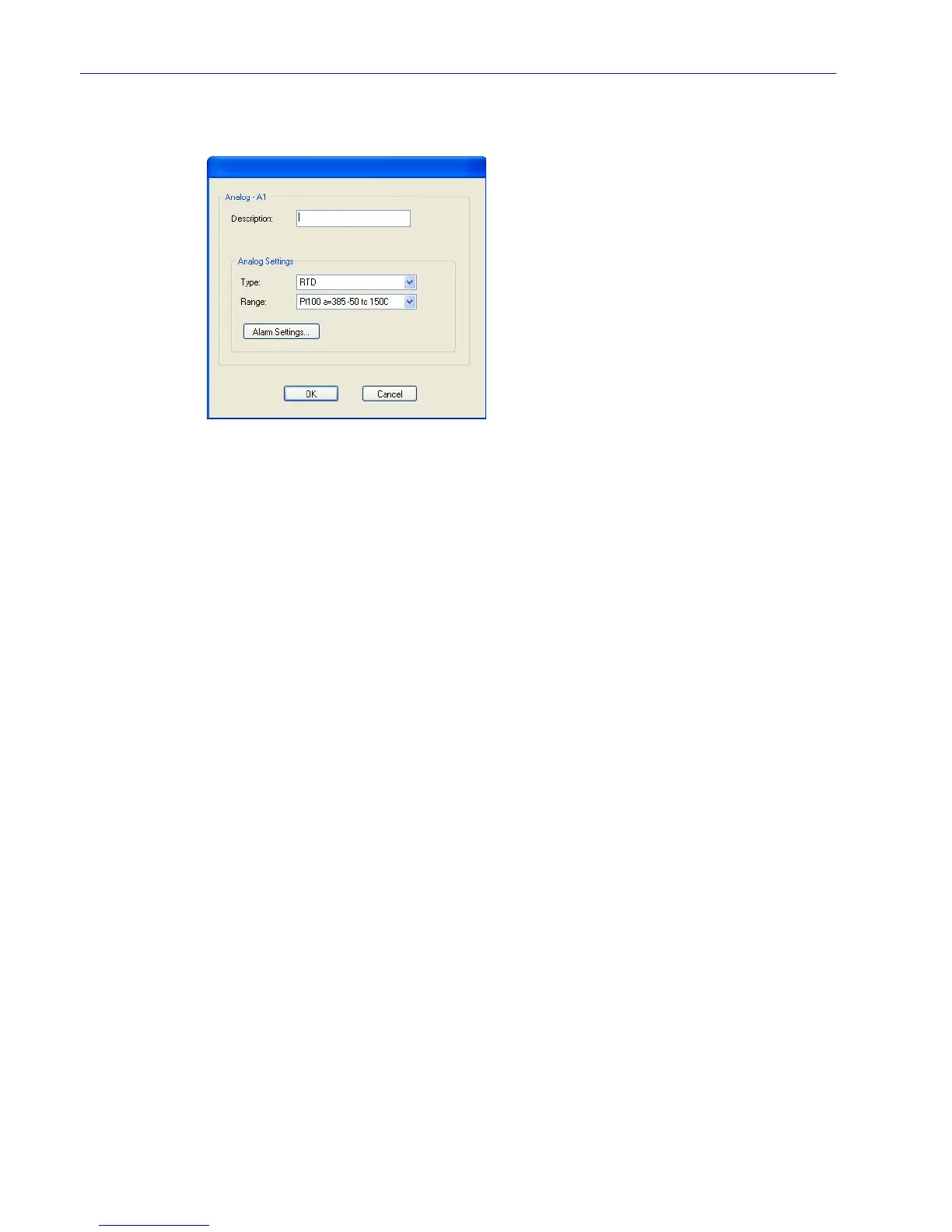
Configure the following parameters:
Description
Type
Range
Alarm Settings
Button
s
See Alarm Settings on page 163 for field descriptions.
Provide a description of the channel, making it easier to identify.
Data Options: Maximum 20 characters, including spaces
Specify the type of sensor you are using to measure temperature.
Data Options: RTD, Thermocouple
Default: RTD
Specify the temperature range that you want to measure.
Data Options:
z RTD—Pt100 a=385 -50 to 150C, Pt100 a=385 0 to 100C,
Pt100 a=385 0 to 200C, Pt100 a=385 0 to 400C,
Pt100 a=385 -200 to 200C, Pt100 a=392 -50 to 150C,
Pt100 a=392 0 to 100C, Pt100 a=392 0 to 200C,
Pt100 a=392 0 to 400C, Pt100 a=392 -200 to 200C,
Pt1000 a=385 -40 to 160C, NiFe604 a=518 -80 to 100C,
NiFe604 a=518 0 to 100C
z Thermocouple—B 500 to 1800C, E 0 to 1000C,
J 0 to 760C, K 0 to 1370C, R 500 to 1750C,
S 500 to 1750C, T -100 to 400C
Default: RTD is Pt100 a=385 -50 to 150C. Thermocouple is J 0 to 760C.
Click the Alarm Settings button to specify the trigger and clear levels for the
alarms. Notice that the Analog Alarm Settings window has two alarm
configuration views, a basic alarm view and an advanced alarm view.



 To Next Page