94
Serial Port Profiles
User Service Settings
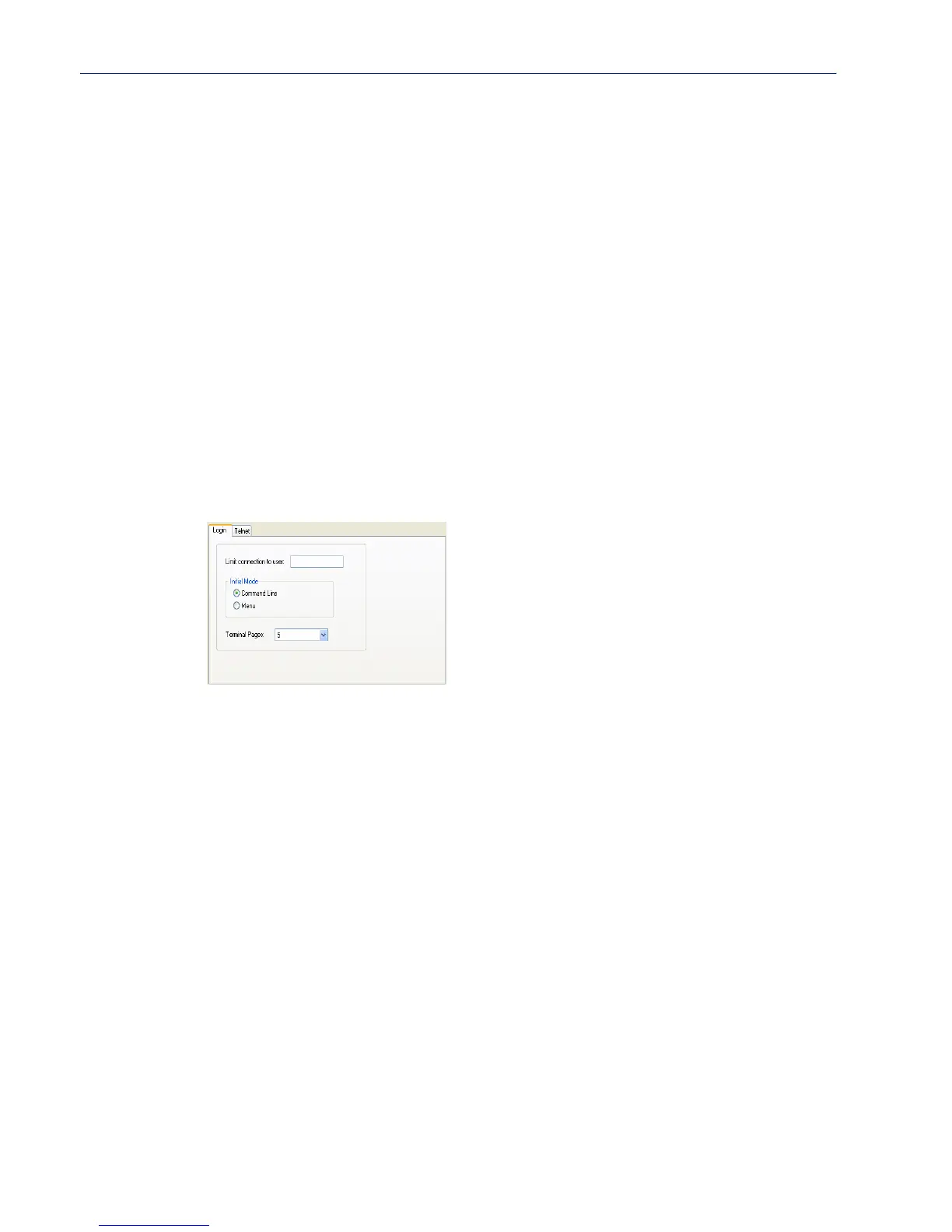
Login Settings
These settings apply to users who are accessing the network from a terminal connected to the
IOLAN’s serial port. The Telnet settings take effect when the connection method is defined in the
user’s profile.
Configure the following parameters:
Limit Connection
to User
Initial Mode
Terminal Pages
Dial Retry The number of times the IOLAN will attempt to re-establish a connection with
a remote modem.
Range: 0-99
Default: 2
Dial In If the device is remote and will be dialing in via modem or ISDN TA, enable
this parameter.
Default: Disabled
Dial Out If you want the modem to dial a number when the serial port is started, enable
this parameter.
Default: Disabled
Makes the serial port dedicated to the specified user. The user won’t need to
enter their login name - just their password.
Specifies the initial interface a user navigates when logging into the serial port.
Data Options: Menu, Command Line
Default: Command Line
The number of video pages the terminal supports.
Range: 1-7
Default: 5 pages



 To Next Page