Hardware and Connectivity 28
Getting to Know Your IOLAN
Console/Serial Switch
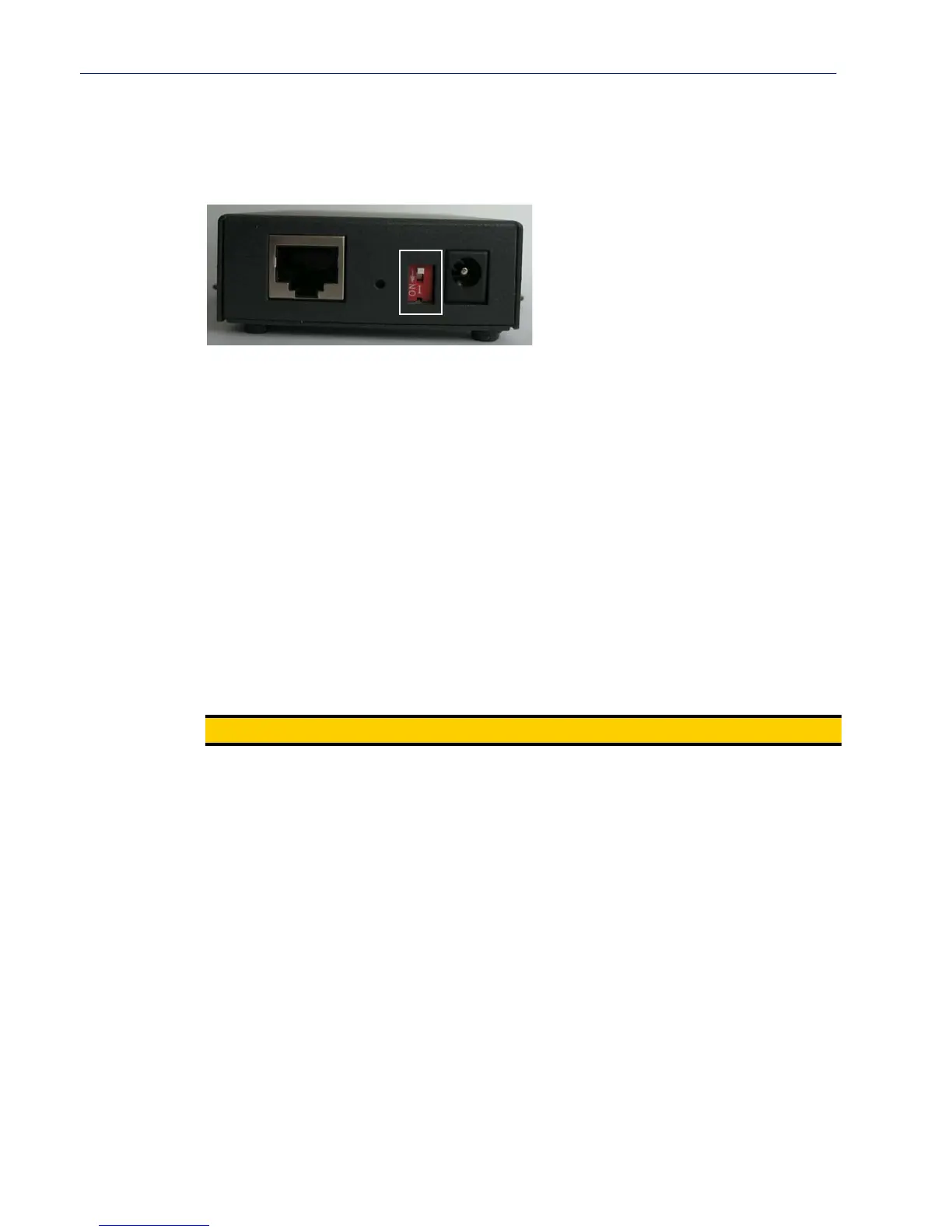
Located at the back of the desktop IOLAN models is a switch that controls whether serial port 1 is in
Console or Serial mode.
Look at your model to verify the direction of the ON switch position. ON indicates that serial port 1
is in Console mode; otherwise serial port 1 is in Serial mode.
Console Mode
Console mode is used when you have a direct connection between a serial device (like a terminal or a
PC) and the IOLAN, accessed by the admin user to configure/manage the IOLAN. Console mode
automatically sets serial port settings as:
z Serial Interface to EIA-232
z Speed to 9600
z Flow Control to No
z Bits to 8
z Stop Bits to 1
z Parity to None
Console mode also displays extra system messages.
Serial port 1 will ignore any Serial Port settings when in Console mode, so you need to turn Console
mode off to use serial port 1 in your network.
Note:
When the console switch is in the on position, the Power/Ready LED will blink green.
Serial Mode
Serial mode is used when the IOLAN acts as a communications server, or anytime you are not
connecting directly to the IOLAN to configure it. You can connect directly to the IOLAN in Serial
mode, but the IOLAN will not display all the messages/information you will get in Console mode.



 To Next Page