Serial Port Profiles
91 IOLAN DS1/TS2 User’s Guide, Version 4.3
1. The user can be required to log into the IOLAN and then a connection to a host can be
established.
2. The user connecting to the serial port will be directly connected a host.
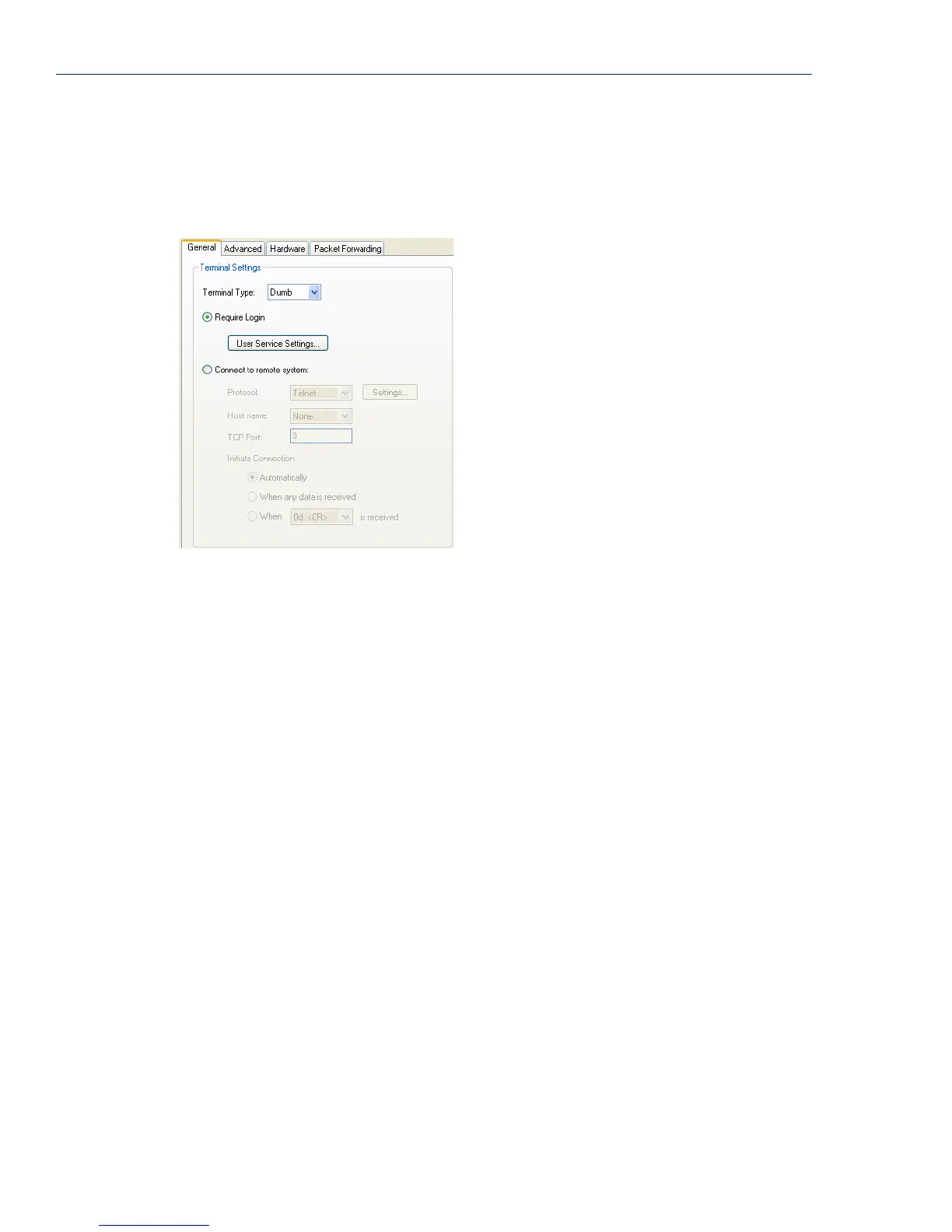
General Tab Field Descriptions
Configure the following parameters:
Terminal Type Specifies the type of terminal connected to the line.
Data Options:
z Dumb
z WYSE60
z VT100
z ANSI
z TVI925
z IBM3151TE
z VT320 (specifically supporting VT320-7)
z HP700 (specifically supporting HP700/44)
z Term1, Term2, Term3 (user-defined terminals)
Default: Dumb
Require Login When users access the IOLAN through the serial port, they must be
authenticated using the local user database.
Default: Enabled
User Service
Settings Button
After a user has been successfully authenticated, the IOLAN will connect to
the specified host using the specified protocol according to:
z the User Service parameter for locally configured users
z the Default User Service parameter for users who are externally
authenticated
See User Service Settings on page 94 for field descriptions of the various User
Service Settings.



 To Next Page