Serial Port Profiles
97 IOLAN DS1/TS2 User’s Guide, Version 4.3
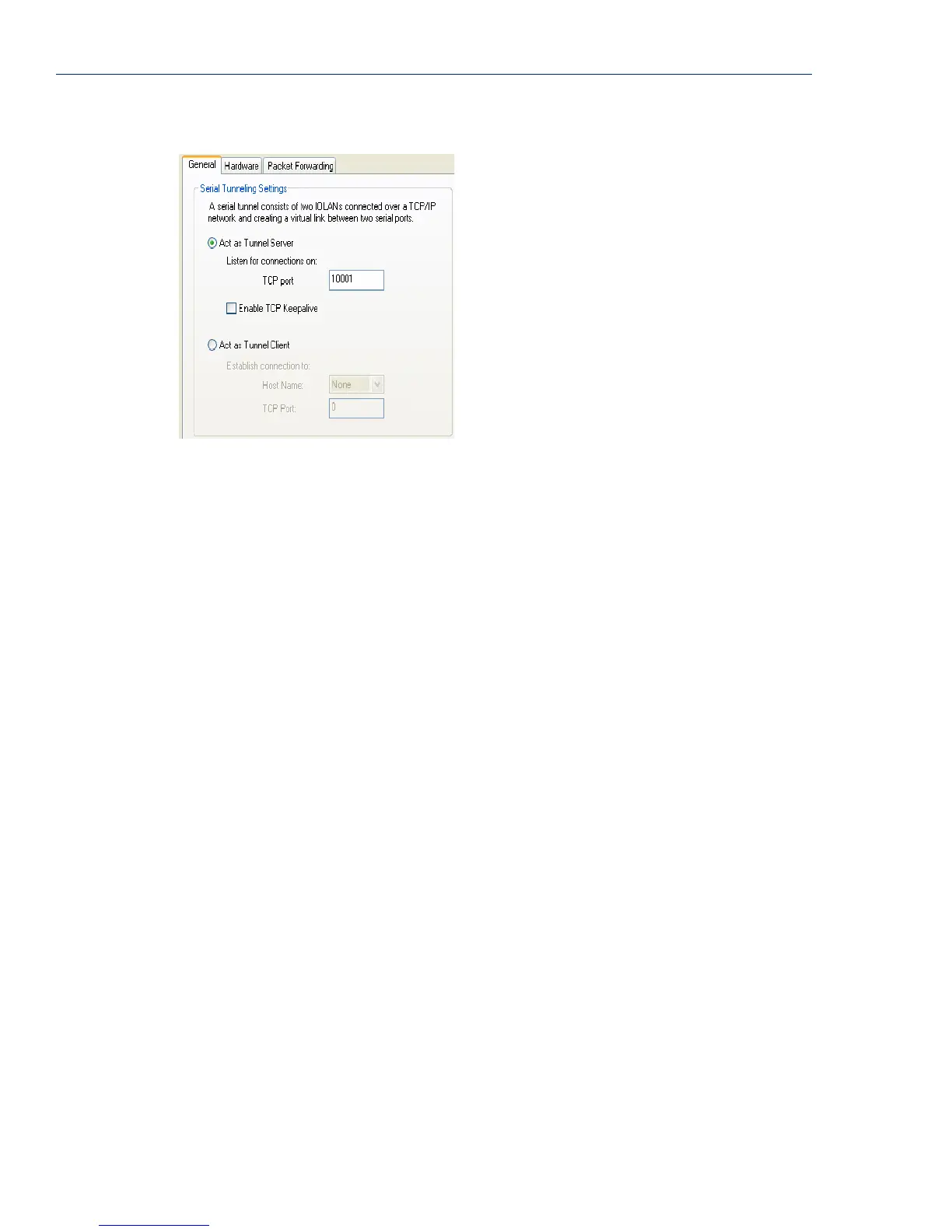
General Tab Field Descriptions
Configure the following parameters:
Act As Tunnel
Server
TCP Port
Enable TCP
Keepalive
Act as Tunnel
Client
Host Name
TCP Port
The IOLAN will listen for an incoming connection request on the specified
Internet Address on the specified TCP Port.
Default: Enabled
The TCP port that the IOLAN will listen for incoming connection on.
Default: 10000+serial port number; so serial port 2 is 10002.
Enables a per-connection TCP keepalive feature. After the configured number
of seconds, the connection will send a gratuitous ACK to the network peer,
thus either ensuring the connection stays active OR causing a dropped
connection condition to be recognized.
This parameter needs to be used in conjunction with
Monitor Connection
Status Interval
parameter found in the Serial, Advanced, Advanced Settings
tab. The interval determines how long the IOLAN will wait during inactivity
before "testing" the connection. It should be noted that if a network connection
is accidentally dropped, it can take as long as the specified interval before
anyone can reconnect to the serial port.
Default: Disabled
The IOLAN will initiate the connection the Tunnel Server.
Default: Disabled
A preconfigured host name that is associated with the IP address of the Tunnel
Server.
The TCP port that the IOLAN will use to connect to the Tunnel Server.
Default: 10000+serial port number; so serial port 5 is 10005.



 To Next Page