Serial Port Profiles
83 IOLAN DS1/TS2 User’s Guide, Version 4.3
Adding/Editing a Multihost Entry
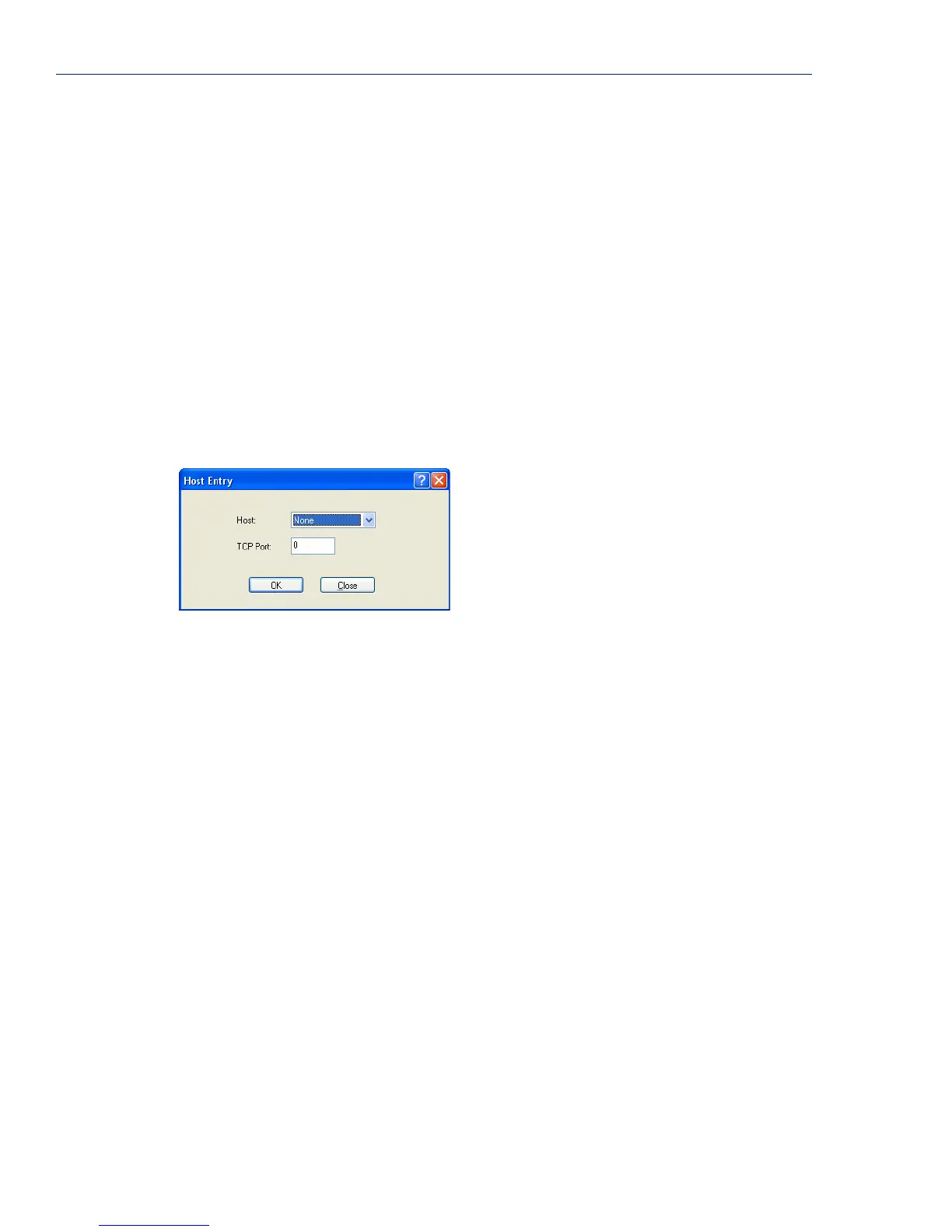
When you click the Add or Edit button, the Host Entry window appears. The hosts in the multihost
list must already be defined (see
Host Table on page 123 to learn how to create a host). If you add a
host that was defined with its fully qualified domain name (FQDN), it must be resolvable by your
configured DNS server.
Configure the following parameters:
Host Name
TCP Port
TCP Port Specify the TCP port that the IOLAN will use to communicate to the Primary
Host
.
Default: 0
Backup Host Specify a preconfigured host that the serial device will communicate to through
the IOLAN if the IOLAN cannot communicate with the
Primary Host.
Default: None
TCP Port Specify the TCP port that the IOLAN will use to communicate to the Backup
Host
.
Default: 10000
Specify the preconfigured host that will be in the multihost list.
Default: None
Specify the TCP port that the IOLAN will use to communicate to the Host.
Default: 0



 To Next Page