Getting Started 52
Setting Up the Serial Port(s)
z Control Signal I/O—The Control Signal I/O profile enables the use of the EIA-232 serial port
signal pins to be used as assigned Digital Inputs or Digital Outputs.
z Modbus Gateway—The Modbus Gateway profile configures a serial port to act as a Modbus
Master Gateway or a Modbus Slave Gateway.
z Custom Application/Plugin—The Custom Application/Plugin profile configures a serial port to
run a custom application or IOLAN plugin. After you download the custom application files and
specify the application name and any parameters you want to pass to it, the IOLAN will execute
the application when the serial port is started.
Each serial port profile contains all the parameters that are required to completely configure the serial
port scenario represented by the profile.
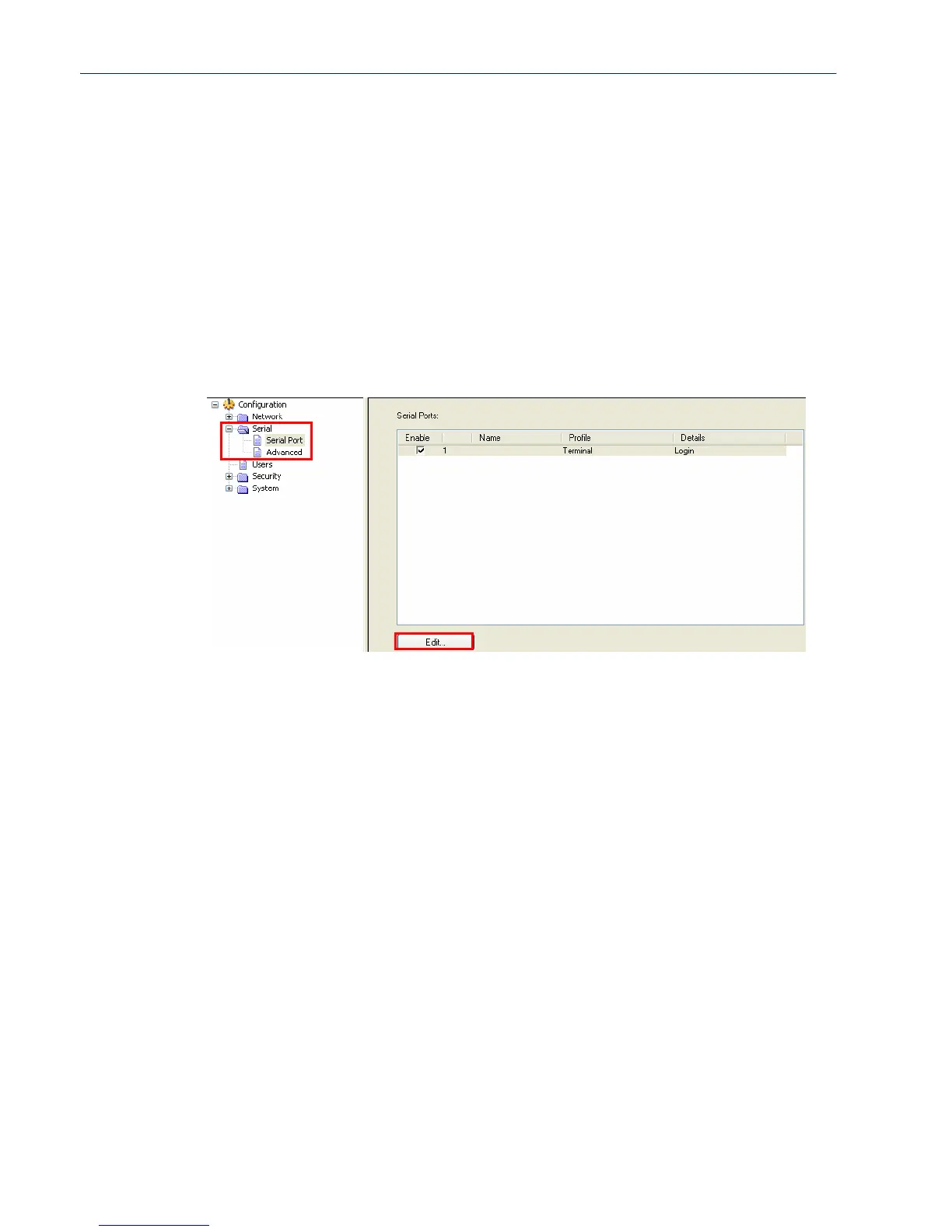
To select a serial port profile in the DeviceManager, connect through the DeviceManager to the
IOLAN you are configuring and select
Serial, Serial Ports in the navigation pane. Highlight the
serial port you want to configure and then click
Edit.
When the default serial port profile Terminal displays, click the Change Profile button and select the
appropriate profile for the serial port. See
Chapter 6, Configuring Serial Ports on page 62 for more
information on the serial port profiles and their configuration parameters.



 To Next Page