AxN Configurable Motion Control Platform
59
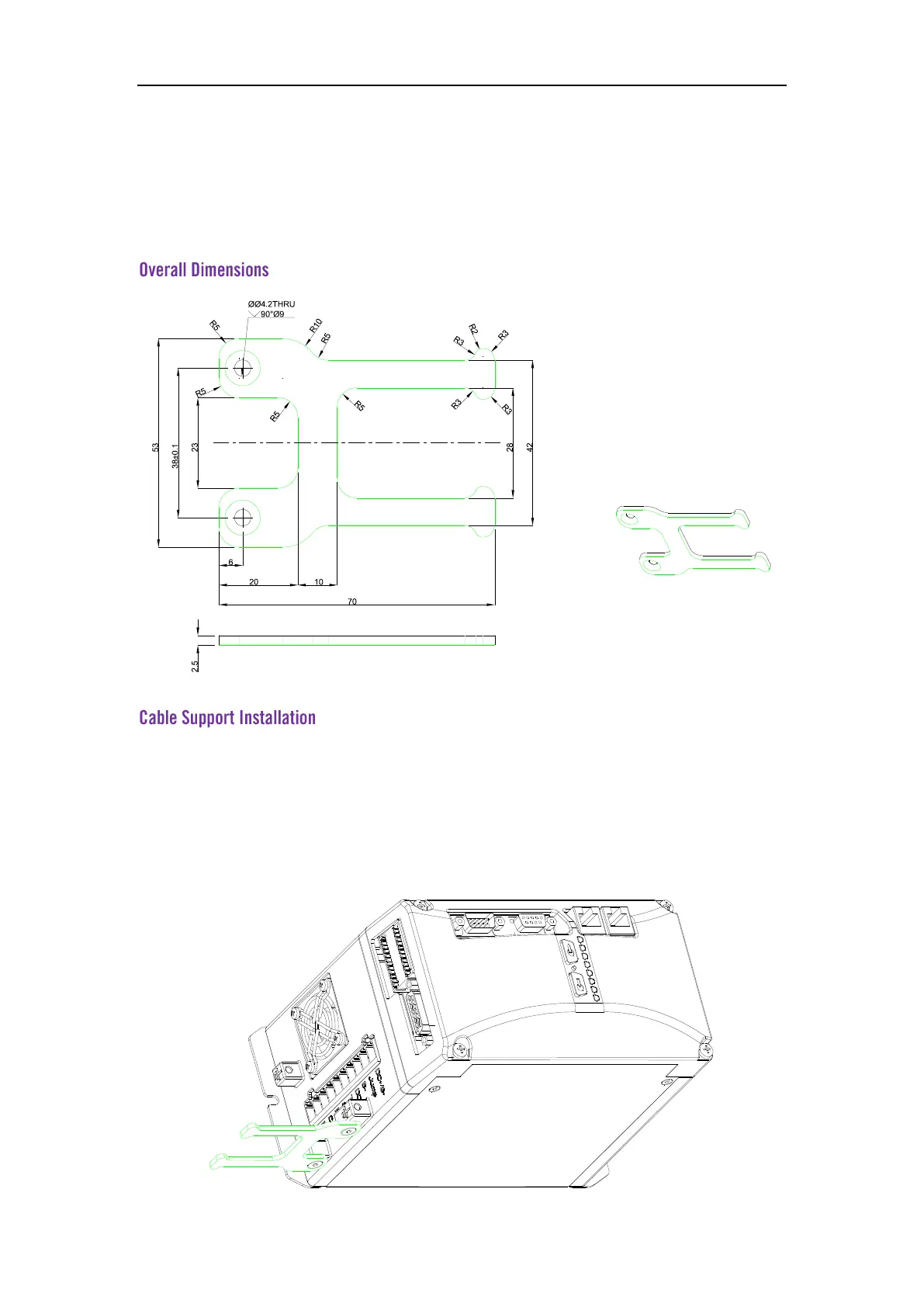
5.3 Cable Support
AxN 09.20.4 drive metal cable support is connected with the shell after the installation is
completed. Large area of the metal plate can ensure that the cable shield is effectively grounded
and the grounding impedance is reduced.
Installation
Put the open holes of cable support together with the ports of the drive located on the
right side of power supply input ports. Use the cross slotted head screw of M4*10 to connect the
cable support and the drive.
Fixing
Use the PH2 screwdriver to tighten the screw.



 To Previous Page