18
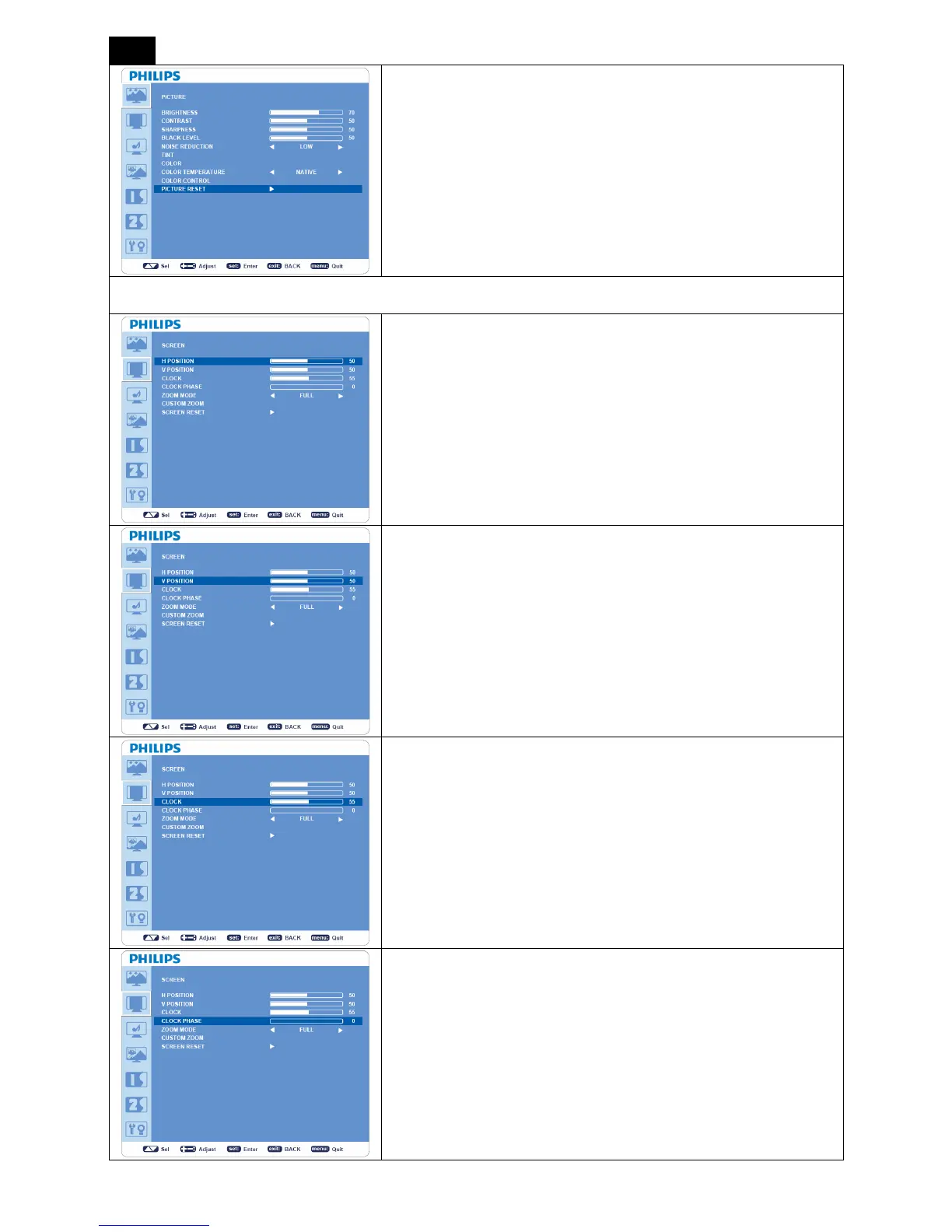
PICTURE RESET
y Selecting PICTUER RESET allows you to reset all OSD settings in
“PICTURE” menu.
y Select “Yes” and press “SET” button to restore to factory preset
data.
y Press “EXIT” button to cancel and then return to the previous
menu.
SCREEN
H POSITION
*: INPUT VGA and VGA (BNC) only.
y Controls the position of Horizontal Image within the LCD display
area.
y Press + button to move image to right.
y Press - button to move image to left.
V POSITION
*: INPUT VGA and VGA (BNC) only.
y Controls the position of Vertical Image within the LCD display area.
y Press + button to move screen to UP.
y Press - button to move screen to DOWN.
CLOCK
*: INPUT VGA, VGA (BNC) only.
y Press + button to expand the width of image to right on the screen.
y Press - button to narrow the width of the image to left on the
screen.
CLOCK PHASE
*: INPUT VGA, VGA (BNC) only.
Improves focus, clarity and image stability by increasing or decreasing this
setting.












 To Next Page