English
EN 13
Your product
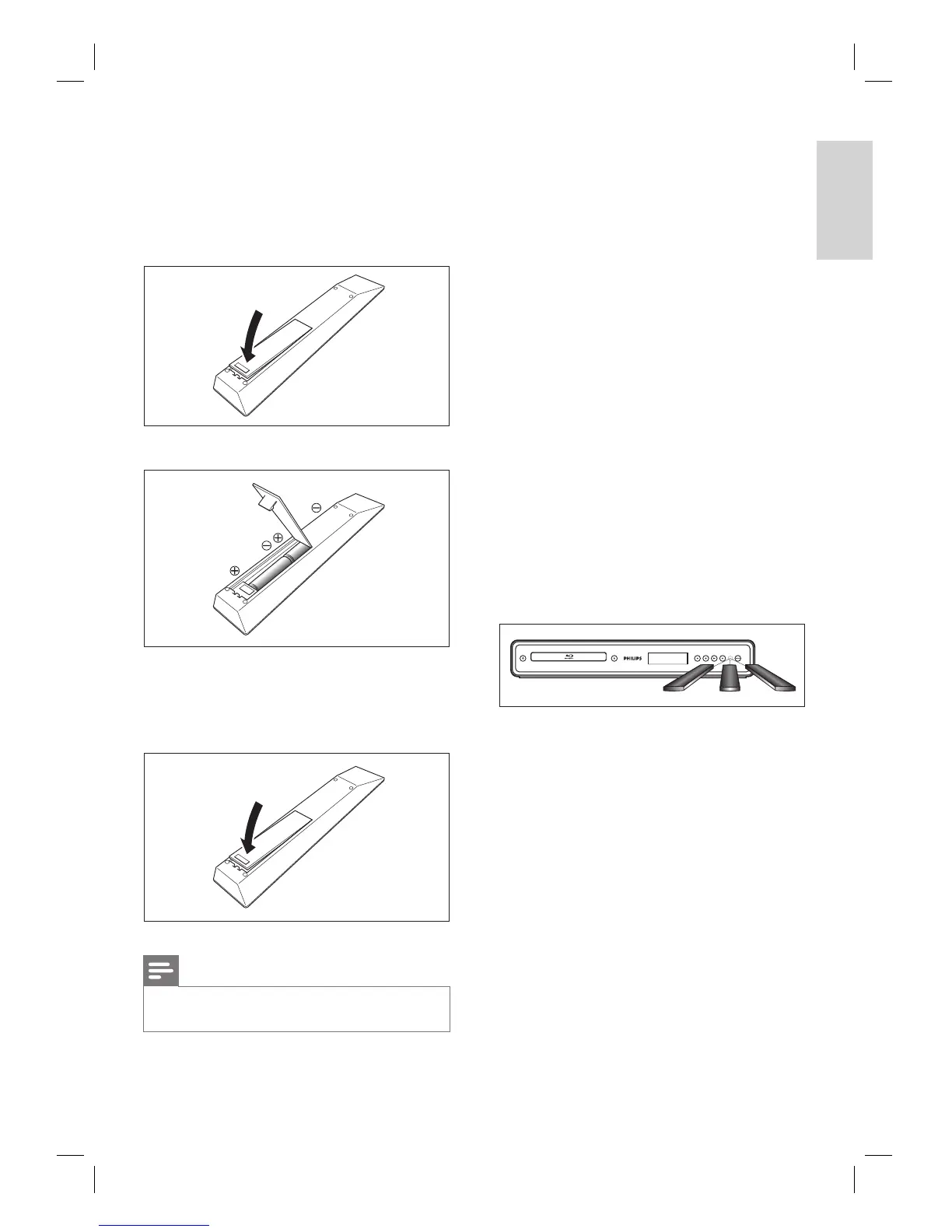
Installing the batteries in the remote control
Install the batteries (R6/AA x2) matching the
polarity indicated inside battery compartment
of the remote control.
1 Open the cover.
2 Insert batteries.
Make sure to match +and - on the
batteries to the marks indicated in the
battery compartment.
3 Close the cover.
Note
Incorrect use of batteries can result in hazards such
as leakage and bursting.
•
•
Using a Remote Control
Keep in mind the following when using the
remote control:
Make sure that there are no obstacles
between the remote control and the
infrared sensor window on the unit.
Remote operation may become unreliable if
strong sunlight or fl uorescent light is shining
on the infrared sensor window of the unit.
Remote control for different devices can
interfere with each other. Avoid using
remote control for other device located
close to the unit.
Replace the batteries when you notice a fall
off in the operating range of the remote
control.
The maximum operable ranges from the
unit are as follows.
Line of sight: approx. 7m (23 feet)
Either side of the centre: approx. 5m
(16 feet) within 30°
Above: approx. 5m (16 feet) within 15°
Below: approx. 3m (10 feet) within 30°
30˚ 30˚
5m (16 feet) 7m (23 feet) 5m (16 feet)
•
•
•
•
•
•
•
•
•



 To Next Page