16 EN
Tip
This type of connections provide best picture quality.•
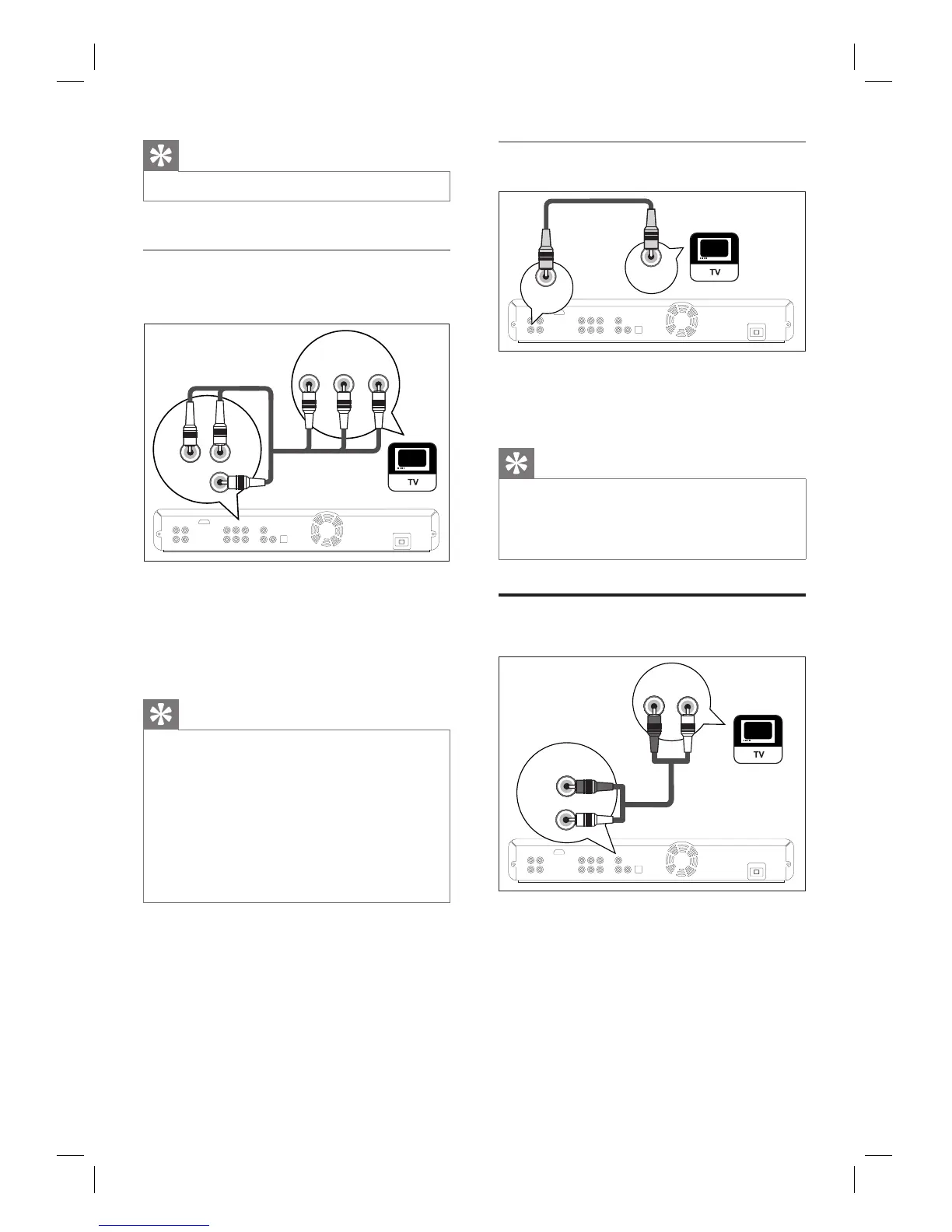
Option 2: Connect to component
video socket
COMPONENT
VIDEO OUT
COMPONENT
VIDEO IN
PB/CB
PR/CR
Y
PB/CB
PR/CRY
1 Connect the component video cable
(not supplied) to the
COMPONENT
VIDEO OUT
socket on this unit and the
component video input sockets on your
TV.
Tip
This unit is compatible with the progressive scan
system. The feature provides you with the higher
quality pictures than traditional output system does.
To utilise this feature, make sure a progressive scan
TV is used. Refer to chapter ‘Adjust settings - List of
settings’ - [Component Output] for details.
The component video input socket on your TV may
be labelled as Y Pb/Cb Pr/Cr or YUV.
This type of connections provide good picture
quality.
•
•
•
Option 3: Connect to video socket
VIDEO
OUT
VIDEO
IN
1 Connect a RCA video cable (supplied) to
the VIDEO OUT socket on this unit and
the video input socket on your TV.
Tip
The video input socket on your TV may be labelled
as A/V IN, VIDEO IN, COMPOSITE or BASEBAND.
This type of connections provide standard picture
quality.
•
•
Connect audio cables
AUDIO IN
LR
AUDIO
OUT
L
R
1 Connect an RCA audio cable (supplied) to
the AUDIO OUT sockets on this unit and
the AUDIO IN sockets on your TV.
Component
video cable
RCA audio cable
RCA video
cable



 To Next Page