English
EN 17
Connect
Route audio to other devices
This section describes how you can route the
sound from this Blu-ray disc player to other
devices in order to enjoy sound output or
audio play with surround capabilities.
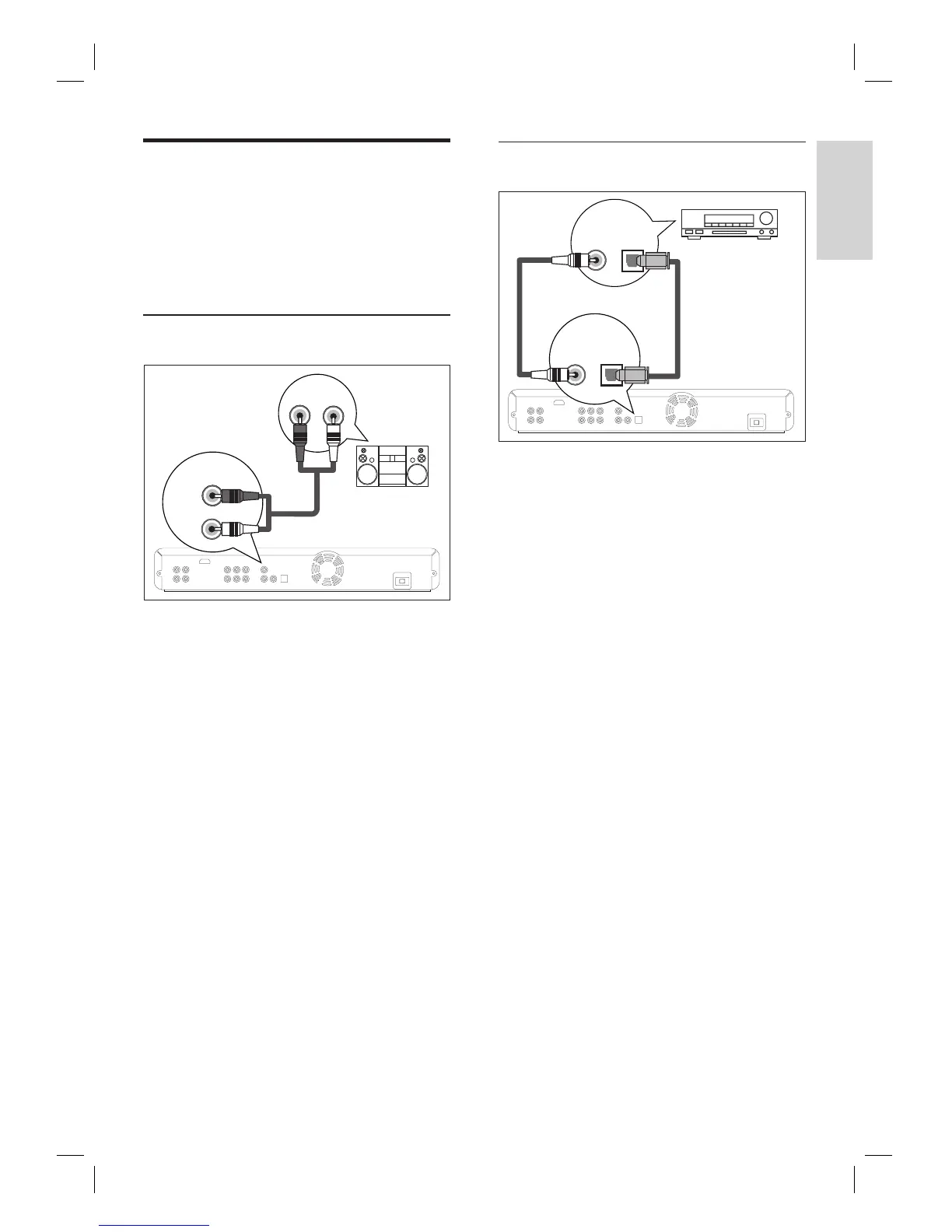
Connect to analogue stereo system
AUDIO IN
LR
AUDIO
OUT
L
R
1 Connect an RCA audio cable (supplied) to
the AUDIO OUT sockets on this unit and
the audio input sockets on the device.
Connect to digital amplifi er/receiver
DIGITAL OUT
(PCM/BITSTREAM)
COAXIAL OPTICAL
COAXIAL
OPTICAL
DIGITAL AUDIO
INPUT
1 Connect a coaxial cable (not supplied) to
the DIGITAL OUT (COAXIAL) socket
on this unit and the DIGITAL IN
(COAXIAL) socket on the device.
or
1 Connect an optical cable (not supplied) to
the DIGITAL OUT (OPTICAL) socket on
this unit and the DIGITAL IN (OPTICAL)
socket on the device.
RCA audio cable
or



 To Next Page