T
he DVD Player included in this television is
compatible with NTSC and PAL. For the
DVD Player to playback a disc correctly, the
color system of the CD, the TV and the DVD
Player should match.
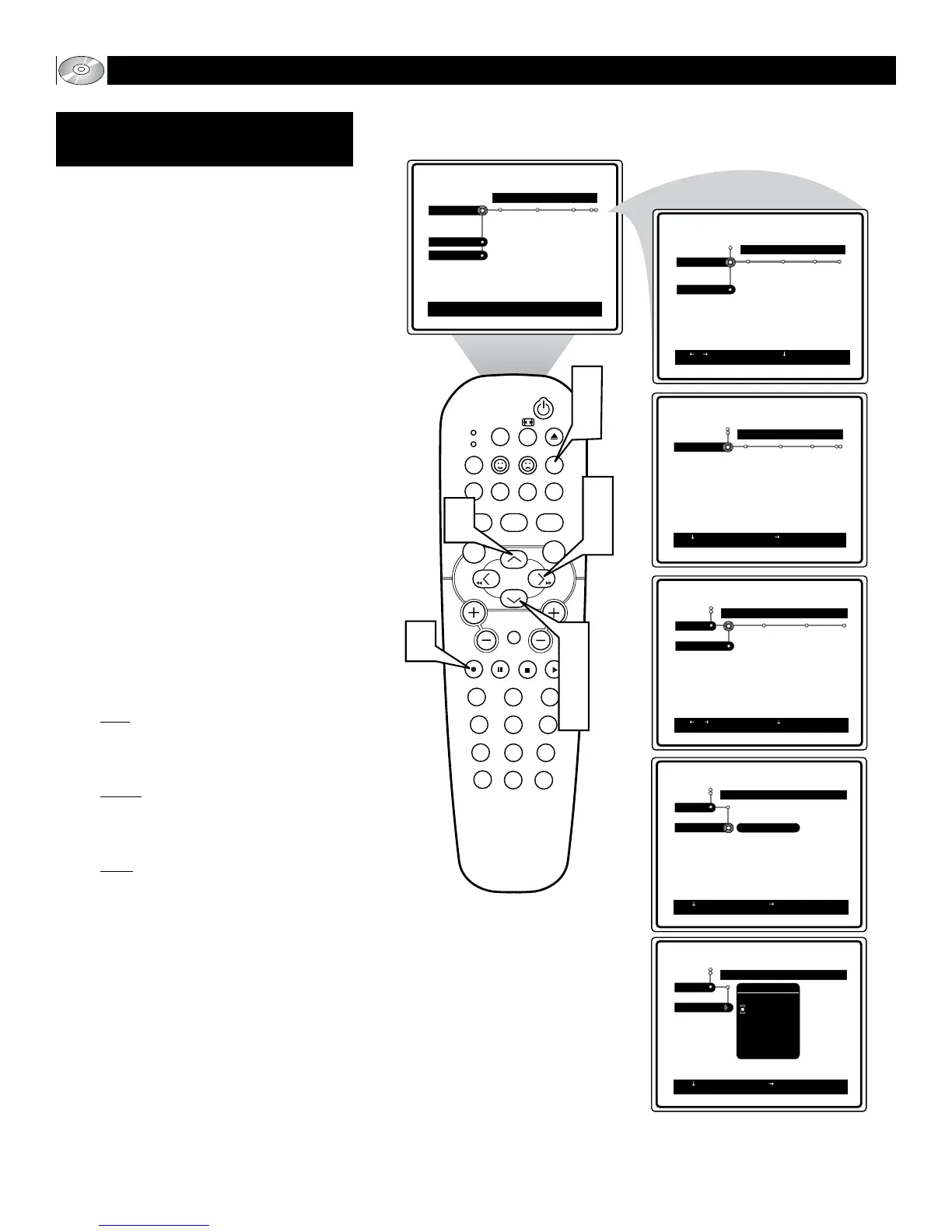
1
Stop playback if a disc is playing in
the player. Press the SYSTEM
MENU (OSD) button on the remote
control to display the on-screen menu.
2
Press the CURSOR DOWN button
until the word Setup is highlighted.
3
Press the CURSOR RIGHT button to
move the puck to the right highlighting
the word TV.
4
Press the CURSOR DOWN button to
highlight the TV System control.
5
Press the CURSOR RIGHT button to
gain access to the highlighted control’s
options.
6
Press the CURSOR UP or DOWN
buttons to scroll the list of available
languages. Choose from: PAL, NTSC
or AUTO.
PAL: Select this option if the connect-
ed to a PAL system. It will change the
video signal of a NTSC disc and output
in PAL format.
NTSC: Select this option if connected
to a NTSC system. It will change the
video signal of a PAL disc (VCD only)
and output in NTSC format.
Auto: Select this if compatible with
both NTSC and PAL (multi-system).
The output will determined by the
video signal of the disc.
7
Press the OK button to select or acti-
vate the chosen option.
8
Press the SYSTEM MENU (OSD)
button to clear the on-screen menu
from the TV screen.
Note: It is possible that slight picture distor-
tion may occur due to the video conversions.
This is normal and does not require a service
call.
34
Welcome to DVD menu. Use navigation keys to move around
the menu.
RETURN to leave the menu.
RETURN to leave the menu.
RETURN to leave the menu.






 To Next Page