Channel No.
More...
Channel No.
Channel No.
Channel No.
Channel No.
Channel No.
Channel No.
48
OPERATING THE
DVD PLAYER - SPECIAL FEATURES
B
OOKMARK DVD
T
he following steps describe how to
Bookmark your DVDs when using the
Timer Controls within the TVs onscreen menu.
Note: With an “on timer” sequence set (and
active), the Timer Controls can tune the TV to
the DVD mode when the TV powers itself on.
If a DVD is playing and an “on timer”
sequence is set (and active), the DVD can be
Bookmarked so the Timer Controls will
resume playback of the DVD when the TV
powers itself on. For more information about
specific Timer Control functions, please refer
to page 13 of this manual.
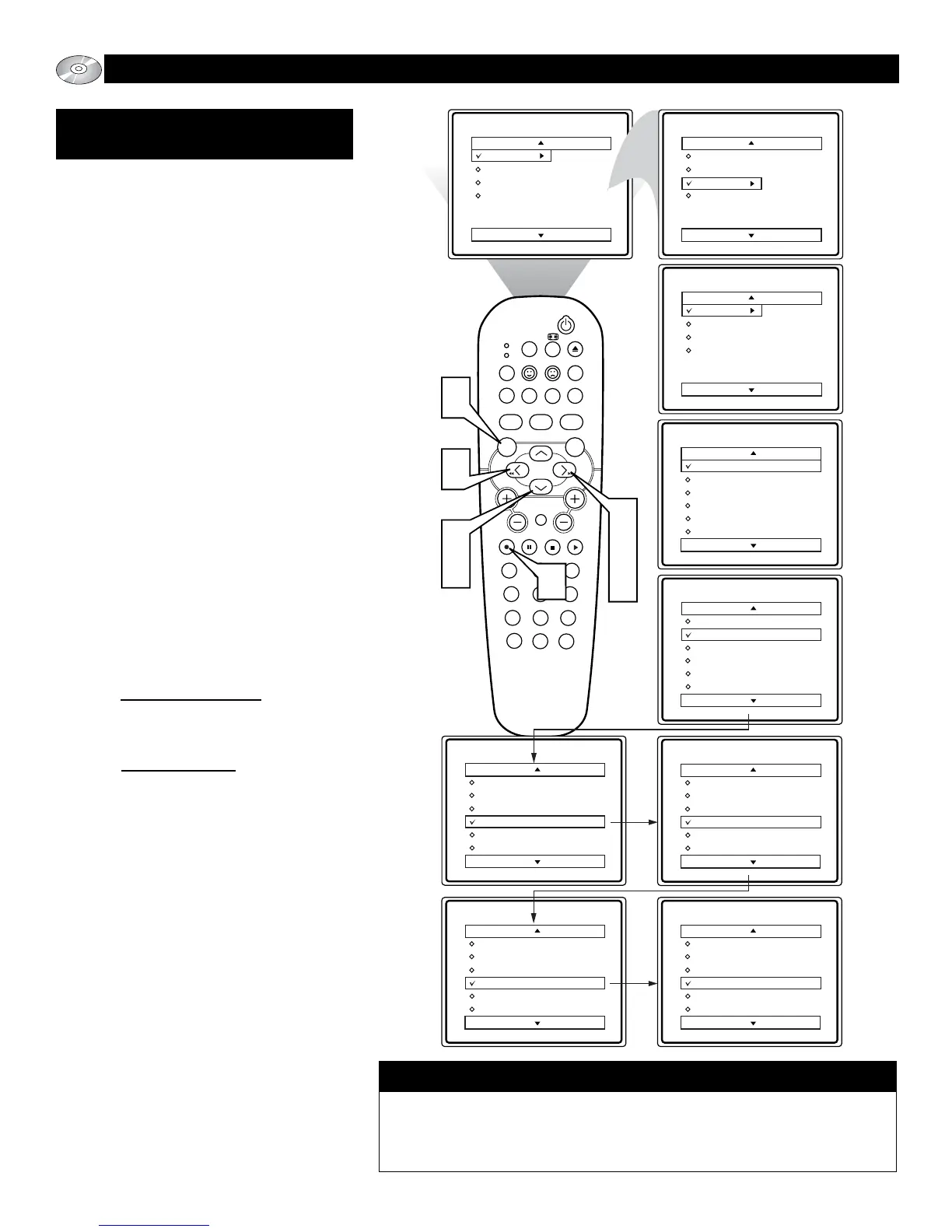
1
Press the MENU button on the remote
to display the TVs on-screen menu.
2
Press the CURSOR DOWN button
until the word FEATURES is high-
lighted.
3
Press the CURSOR RIGHT button to
display the FEATURES menu options.
TIMER will be highlighted.
4
Press the CURSOR RIGHT button to
shift the menu to the left and enter the
TIMER control options.
5
Press the CURSOR DOWN button
to select and highlight the word
CHANNEL.
6
a.) If not playing a DVD press the
CURSOR LEFT or RIGHT button to
scroll the available channels until the
word DVD appears.
b.) If playing a DVD press the CUR-
SOR LEFT or RIGHT button to
scroll the available channels until the
words BOOKMARK DVD? appears.
7
Press the OK button to store the selec-
tion.
If DVD is selected and a Timer
sequence active (refer to page 13),
when the TV powers itself on, it will
automatically tune to the DVD mode.
If BOOKMARK DVD? is selected,
when the OK button is pressed the
words will change to BOOKMARKED.
With BOOKMARK DVD? selected and
a Timer sequence active (refer to page
13), the playback of the DVD (in the
position it was bookmarked) will
resume when the TV powers itself on.
8
Refer to page 13 of this manual to set
the specific TIME, START TIME,
STOP TIME, and to ACTIVATE the
“on timer” sequence Once, or Daily.
To turn a BOOKMARKED DVD OFF, enter the menu as described to the left.
Once Channel is highlighted, and “Bookmarked” appears, press the OK button
to turn the Bookmark off. The text will change from “BOOKMARKED” to
“BOOKMARK DVD?”.
Turning the BOOKMARK DVD feature OFF.







 To Next Page