OPERATING THE DVD PLAYER - SPECIAL FEATURES
AUDIO CD PLAYBACK
T
he following steps describe how to change
the Audio Language control.
1
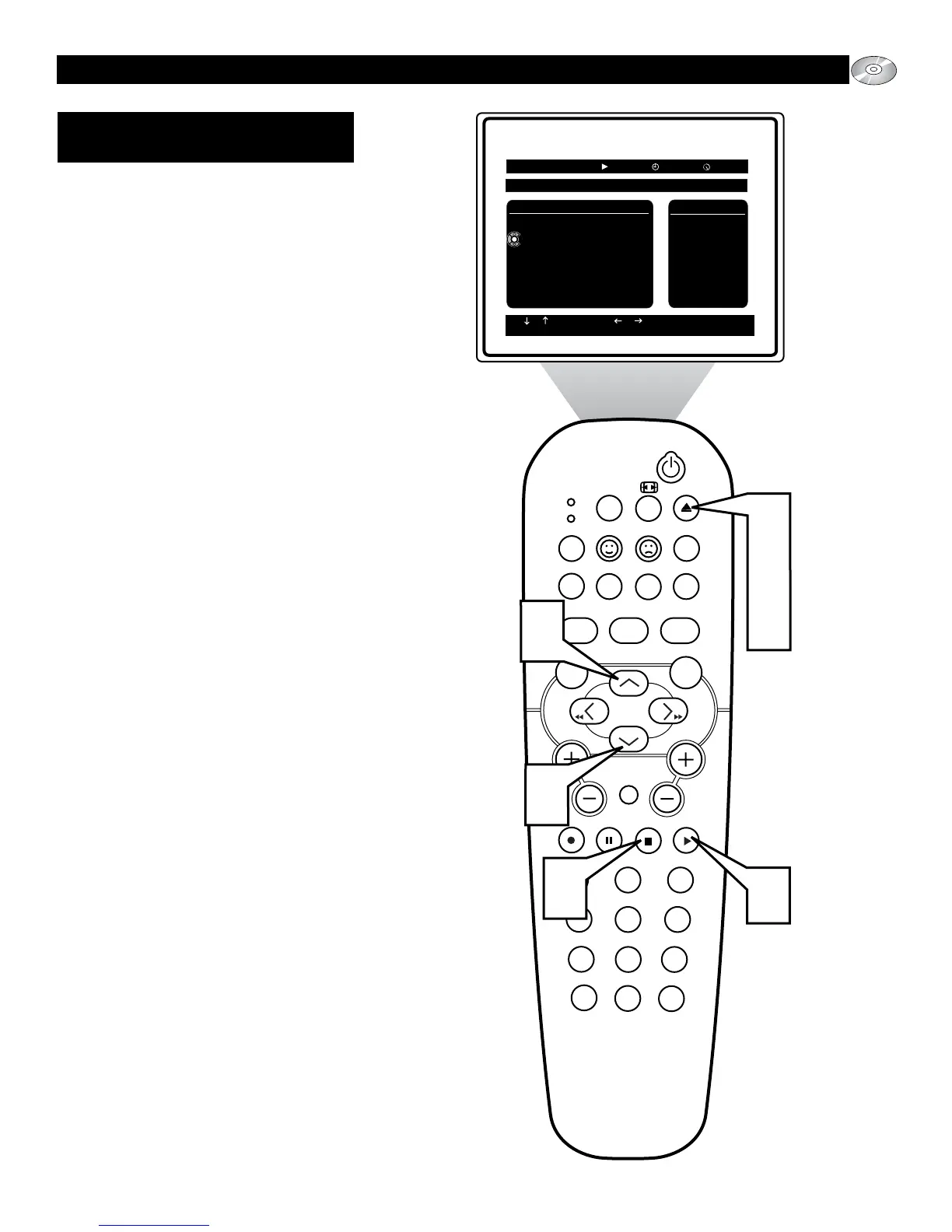
Press the EJECT button on the
remote control to open the disc tray and
place the TV/DVD in the DVD mode.
2
Insert an Audio CD into the disc tray
and press the EJECT button on the
remote to close the disc tray.
3
If automatic playback of the disc does
not start, press the PLAY button on
the remote control when the Audio CD
menu appears to begin playback on
Track 1.
4
Press the ▲ or ▼ buttons to scroll
through the other available tracks on
the disc to begin playback of that
selected track.
5
When finished, press the STOP button
on the remote control to stop the play-
back of the disc.
6
Press the EJECT button on the
remote control to remove the disc from
the disc tray.
Note: some Audio CDs contain CD Text that
will appear when tracks are playing. This text
could include the track titles or special added
text information.






 To Next Page