Welcome to DVD menu. Use navigation keys to move around
the menu.
RETURN to leave the menu.
Use to toggle the values or to move to other options.
OPERATING THE DVD PLAYER - PREFERENCE MENU
T
he Sound option within the Preference
Menu contains a control called Night
Mode. the Night Mode control when On will
optimize the dynamics of the Players sound
output. High Volume sound are softened,
enabling you to watch your favorite action
movies without disturbing others at night.
When the Night Mode control is set to Off, the
sound output will be heard in its full dynamic
range.
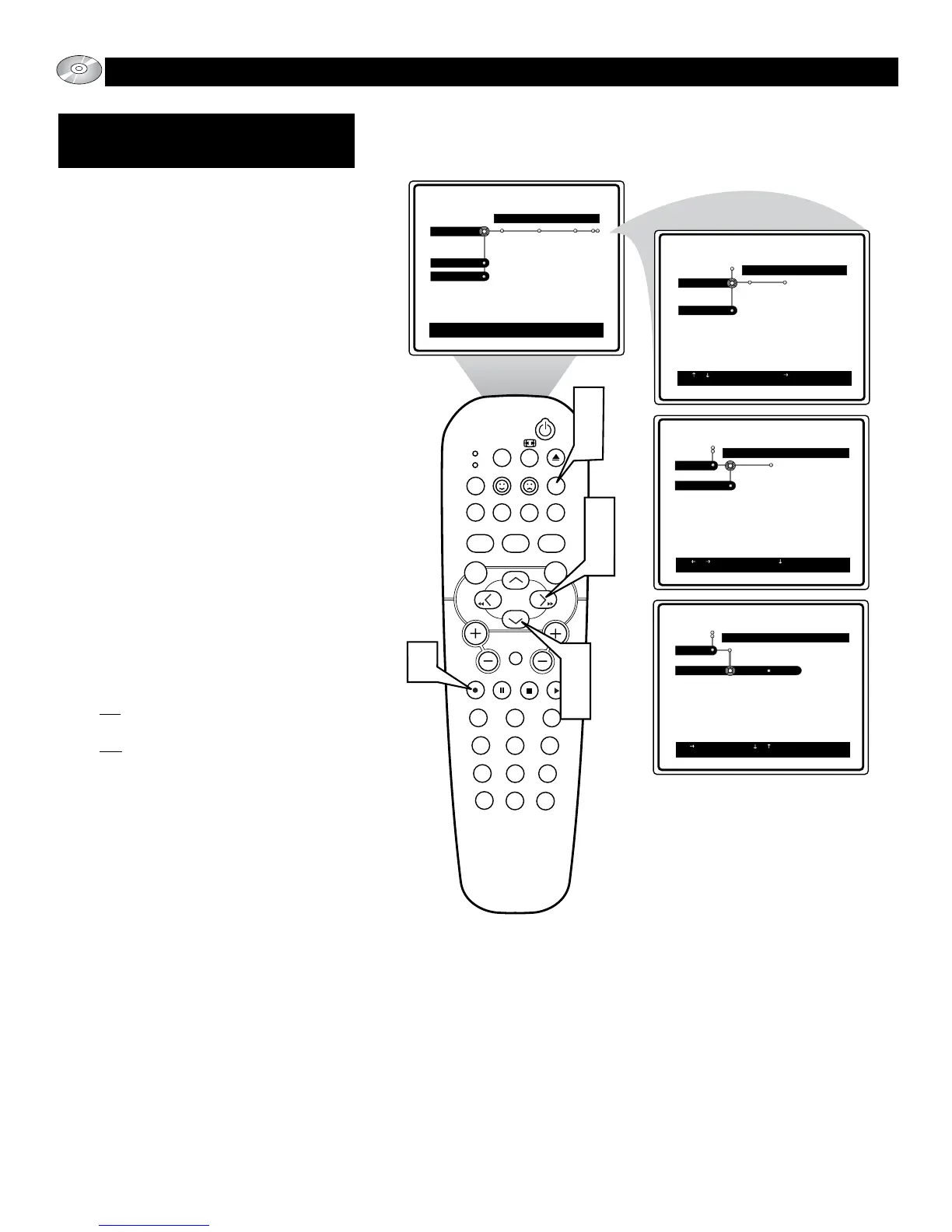
1
Press the SYSTEM MENU (OSD)
button on the remote control to display
the on-screen menu.
2
Press the CURSOR DOWN button
until the word Preferences is highlight-
ed.
3
Press the CURSOR RIGHT button to
move the puck to the right highlighting
the word Sound.
4
Press the CURSOR DOWN button to
highlight the Night Mode control.
5
Press the CURSOR RIGHT button to
toggle the Night Mode control On or
Off.
On: This setting will soften the dynam-
ics of the sound output.
Off: when the Night Mode control is
set to Off, the disc will be heard in its
full dynamic sound output.
6
Press the OK button to select or acti-
vate the chosen option.
7
Press the SYSTEM MENU (OSD)
button to clear the on-screen menu
from the TV screen.
SOUND:
NIGHT MODE







 To Next Page