Welcome to DVD menu. Use navigation keys to move around
the menu.
RETURN to leave the menu.
Use to toggle the values or to move to other options.
Use to toggle the values or to move to other options.
OPERATING THE DVD PLAYER - PREFERENCE MENU
T
he DVD Player has two special controls
that can be turned on to help navigate the
menu with helpful suggestions (Help Line) and
the show the current play state and time infor-
mation (Status Window) on the screen during a
disc playback.
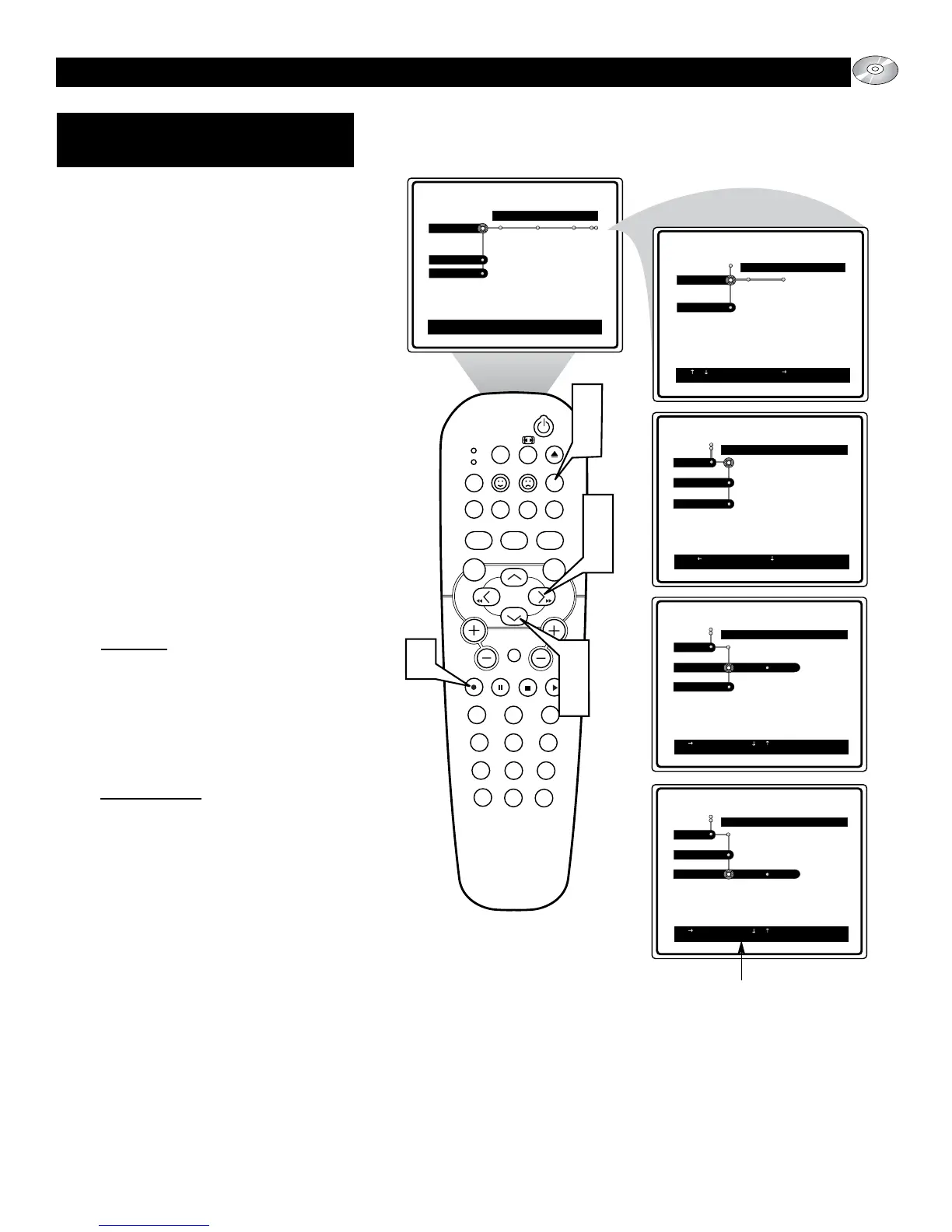
1
Press the SYSTEM MENU (OSD)
button on the remote control to display
the on-screen menu.
2
Press the CURSOR DOWN button
until the word Preferences is highlight-
ed.
3
Press the CURSOR RIGHT button to
move the puck to the right highlighting
the word Features.
4
Press the CURSOR DOWN button to
highlight either the Help Line or
Status Window control.
5
Press the CURSOR RIGHT button to
toggle the selected control On or Off.
Help Line:
ON: Will display a small window at
the bottom of the screen with sugges-
tions to help navigate the onscreen
menu.
OFF: The Help Line will not appear
when the onscreen menu is displayed
on screen.
Status Window:
ON: Will display current disc status
and time.
OFF: The Status Window will not
appear on screen.
6
Press the OK button to select or acti-
vate the chosen option.
7
Press the SYSTEM MENU (OSD)
button to clear the on-screen menu
from the TV screen.
FEATURES:
H
ELP LINE, STATUS WINDOW
Help Line will give suggestions regarding
the navigation of the onscreen menu.







 To Next Page