Welcome to DVD menu. Use navigation keys to move around
the menu.
RETURN to leave the menu.
1. Title 1
OPERATING THE DVD P
LAYER - TOOLBAR MENU
PROGRAM: PROGRAM, TRACKS,
PLAY LIST, CLEAR ALL
Y
ou can program your favorite tracks to be
played in the order you want using the
Program options within the Toolbar. Up to 20
tracks can be programmed at one time.
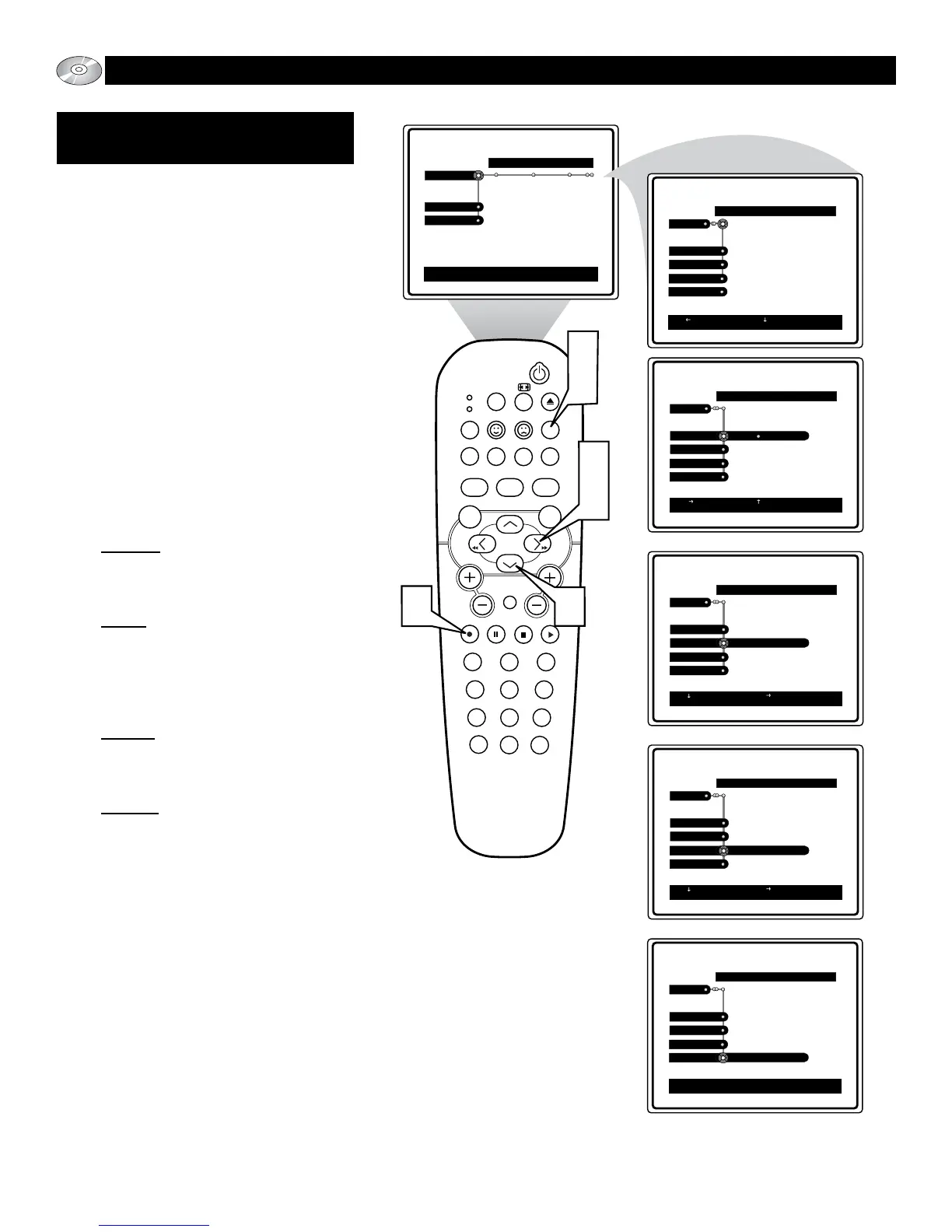
1
Press the SYSTEM MENU (OSD)
button on the remote control to display
the on-screen menu. the Toolbar option
will be highlighted.
2
Press the CURSOR RIGHT button
until the word Program is highlighted.
3
Press the CURSOR DOWN button to
highlight either the Program, Tracks,
Play list, or Clear all control.
4
Press the CURSOR RIGHT button to
gain access to the highlighted control’s
options.
Program: Once a Track or Chapter has
been selected and added to the Play
list, press the button to toggle the
Program function On or Off.
Tracks: Use the button to display a
list of available Tracks, press the
button again to display a list of avail-
able Chapters. With a track or chapter
highlighted, press the OK button to add
the selection to the Play list.
Play list: Press the button to display
the current Play list. Use the ▲ or ▼
buttons to scroll the play list and press
OK to start the playback at that point.
Clear all
: With Clear all selected, press
the button to select Cleared, erasing
all programming.
5
Press the OK button once you are
done with the programming process to
return to the menu options.
6
Press the SYSTEM MENU (OSD)
button to clear the on-screen menu
from the TV screen.






 To Next Page