OPERATING THE DVD P
LAYER - REMOTE FEATURES
REPEAT BUTTON
T
he Repeat button on the remote control will
allow you to program the playback of
Chapters, Tracks, Titles, or the entire Disc to be
repeated.
1
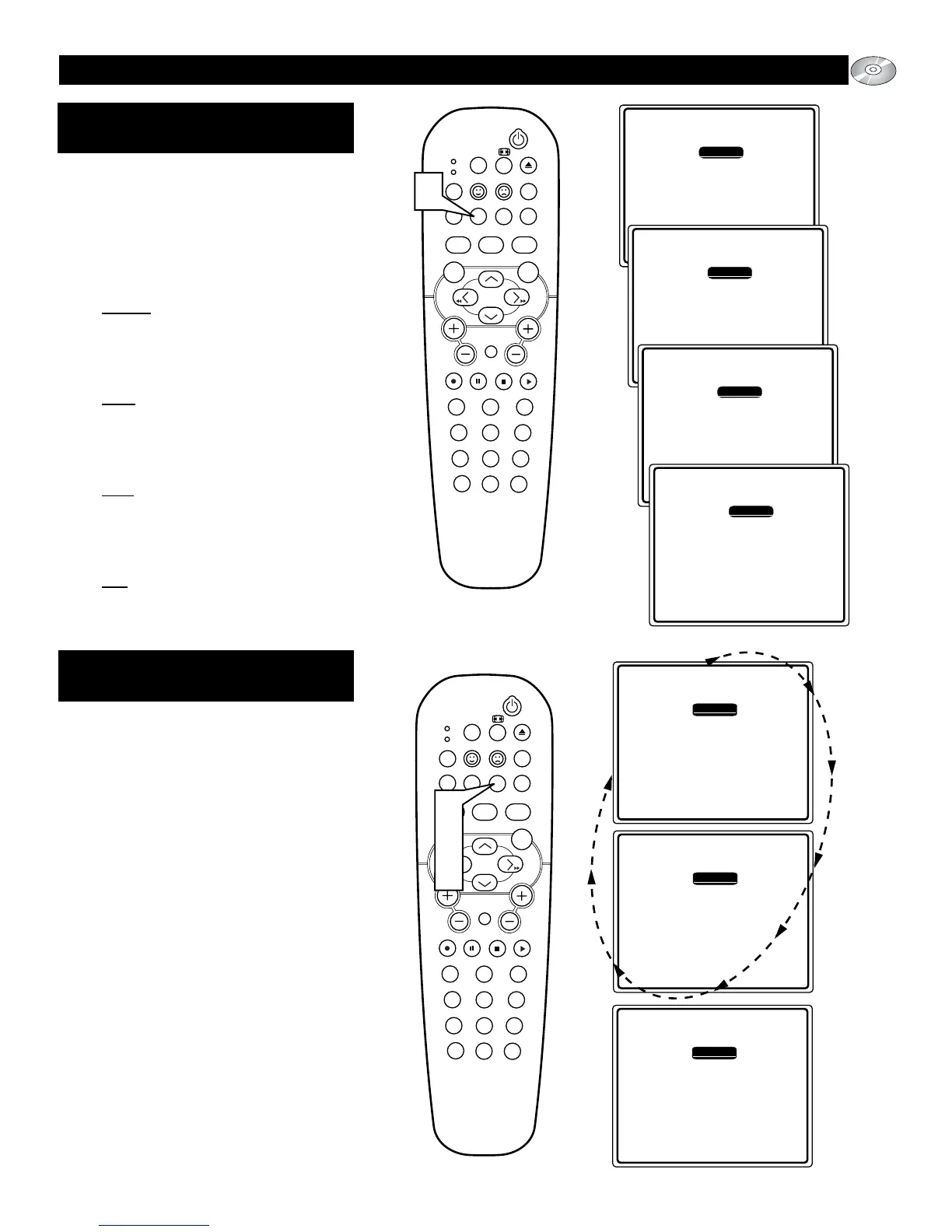
Press the green REPEAT button on the
remote control repeatedly to choose one
of the available repeat modes:
Repeat
: Press the REPEAT button once,
REPEAT will appear on the screen. This
function will repeat the current CHAP-
TER being viewed. Press OK to confirm
the selection.
Title : Press the REPEAT button twice,
TITLE will appear on the screen. This
function will allow you to repeat current
TITLE being viewed. Press OK to con-
firm the selection.
Disc : Press the REPEAT button three
times, DISC will appear on the screen.
This function will repeat playback of the
entire DISC content. Press OK to con-
firm the selection.
Off
: Press the REPEAT button a fourth
time, OFF will appear on the screen.
Press OK to confirm the selection and
turn the Repeat sequence off.
REPEAT A-B BUTTON
T
he Repeat A-B button on the remote control
will allow you to program the playback of
certain lengths of Titles or Tracks on the disc.
1
During the playback of a disc, press the
yellow REPEAT A-B button on the
remote control to select a starting point
for the repeat playback to begin. Repeat
A will briefly appear on the screen.
2
When the disc reaches the ending point
of the desired playback you want to
repeat, press the REPEAT A-B button
again. Repeat B will briefly appear on
the screen. The sequence of playback
between the “A” part and the “B” part
will repeat itself.
3
Press the REPEAT A-B button on the
remote control a third time to turn the
Repeat A-B sequence off. Repeat A-B
OFF will appear briefly on the screen.






 To Next Page