12
Your digital recorder
Table of contents
001/001
1536kbps
150429_001.WAV
00:00:00
00:00:00
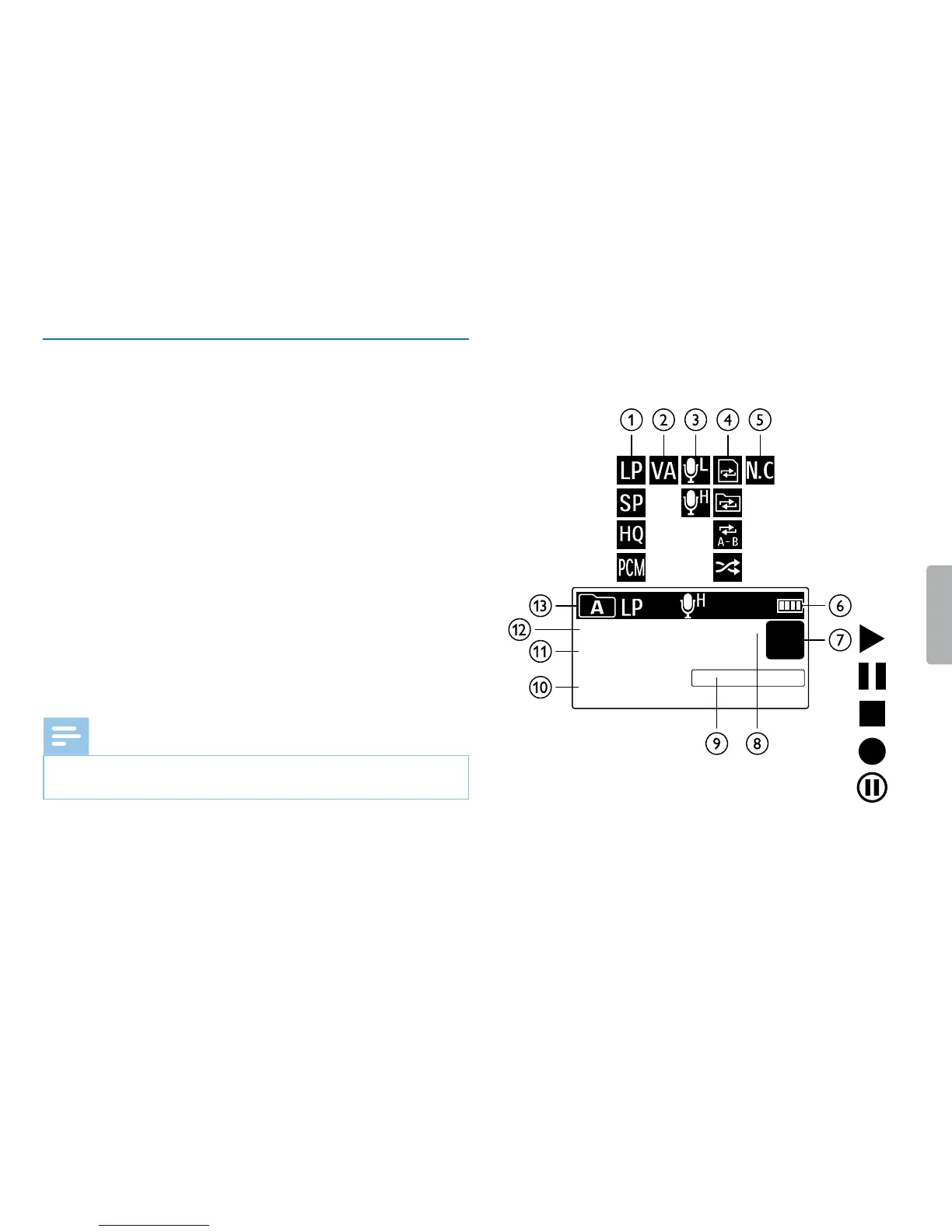
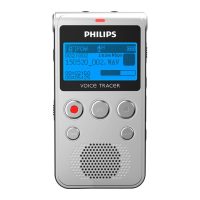
3.4 Start-up screen
aŒ Sets recording quality: Œ – SLP, Ž – SP, ‹ – HQ, € – PCM
b Š – Voice activation switched on
cº Microphone sensitivity: ¹ – low sensitivity (shorter distance),
º – high sensitivity (longer distance)
d Sets repeat mode / continuous loop: –Repeat file playback,
Á–Repeat folder playback, ÖRepeat selection/sequence,
Ä–Random repeat mode
e \ – Noise reduction on
f¾ Battery charge level
gj S–Playback, {–Pause, j–Stop, g–Record, |–Pause
recording
h Bit rate
i Position indicator of current playback/recording
j Playback/recording time / Remaining recording time
k File name of current playback/recording
l Number of current recording / total number of recordings in
folder
mu Selected folder
Note
• The symbol display may vary, depending on the mode and the selected
functions.







 To Next Page