15
Getting started
Table of contents
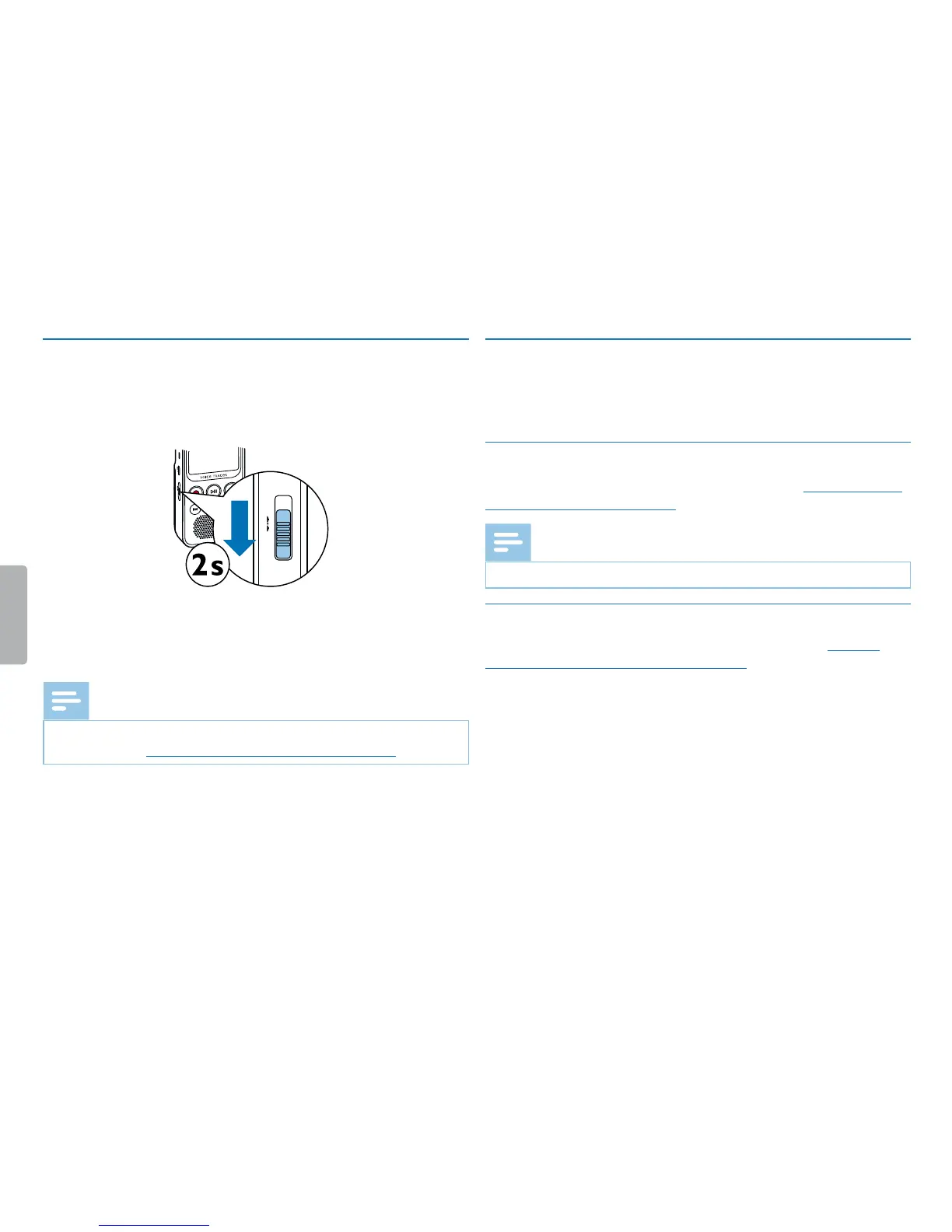
4.2 Turning the device on/o
1
Slide the on/o switch on the side of the device downwards for
approximately two seconds.
X The device turns on and the start-up screen is displayed.
HOLD ON/OFF
2
To turn it o, slide the power switch on the side of the device down
again and hold for about two seconds.
Note
• The device turns o automatically if no key is pressed within a pre-set
period of time (see also chapter 8.3.2 AUTO-OFF, page 35).
4.3 Initial installation process
When using for the first time, you must set the device display language and
date and time.
4.3.1 Selecting the language
Follow the description in the chapter Language selection (see also chapter
8.2.1 Language selection, page 32).
Note
• Your language might not be available. Select an alternative one.
4.3.2 Setting the date & time
Follow the description in the chapter Setting the date & time (see also
chapter 8.3.1 Setting the date & time, page 34).










 To Next Page