23
Playback
Table of contents
6 Playback
6.1 Selecting a recording
1
Press the stop key j to select the desired folder while the device is
stopped (start-up screen).
X The following symbols are displayed: u, v, w, x and y. (u,
v, w, and x are recording folders, the y folder contains music files).
2
Press b while the device is stopped.
X The position indicator jumps to the start of the next file.
3
Press h while the device is stopped.
X The position indicator jumps to the start of the preceding
recording.
Note
• The device supports WMA and MP3 music file formats. These files can
be transferred from the computer to the Music folder on the device.
The files are located in the y folder on the device.
• Files with copy protection (Digital Rights Management, DRM) are not
supported.
• The device can store up to 99 music files.
6.2 Playback of a recording or music file
1
Select the required file as described.
2
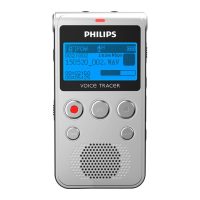
Press the playback/pause key e to playback the selected file.
X The record/play indicator will light up green. The total playback
time of the current file will be shown on the display.
3
Press + / – to adjust the volume.
4
Press the playback/pause key e key to pause playback.
X The playback will stop and the green status light will start flashing.
5
Press the playback/pause key e to continue playback from the
previous position.
6
Press the stop key j to stop playback.
Tip
• You can call up the playback mode settings during music playback.







 To Next Page