Cleaning Cleaning instructions
56
4522 207 12671/ * 2021-06-17
Pathology Scanner SG20 / SG60 / SG300
Weekly cleaning
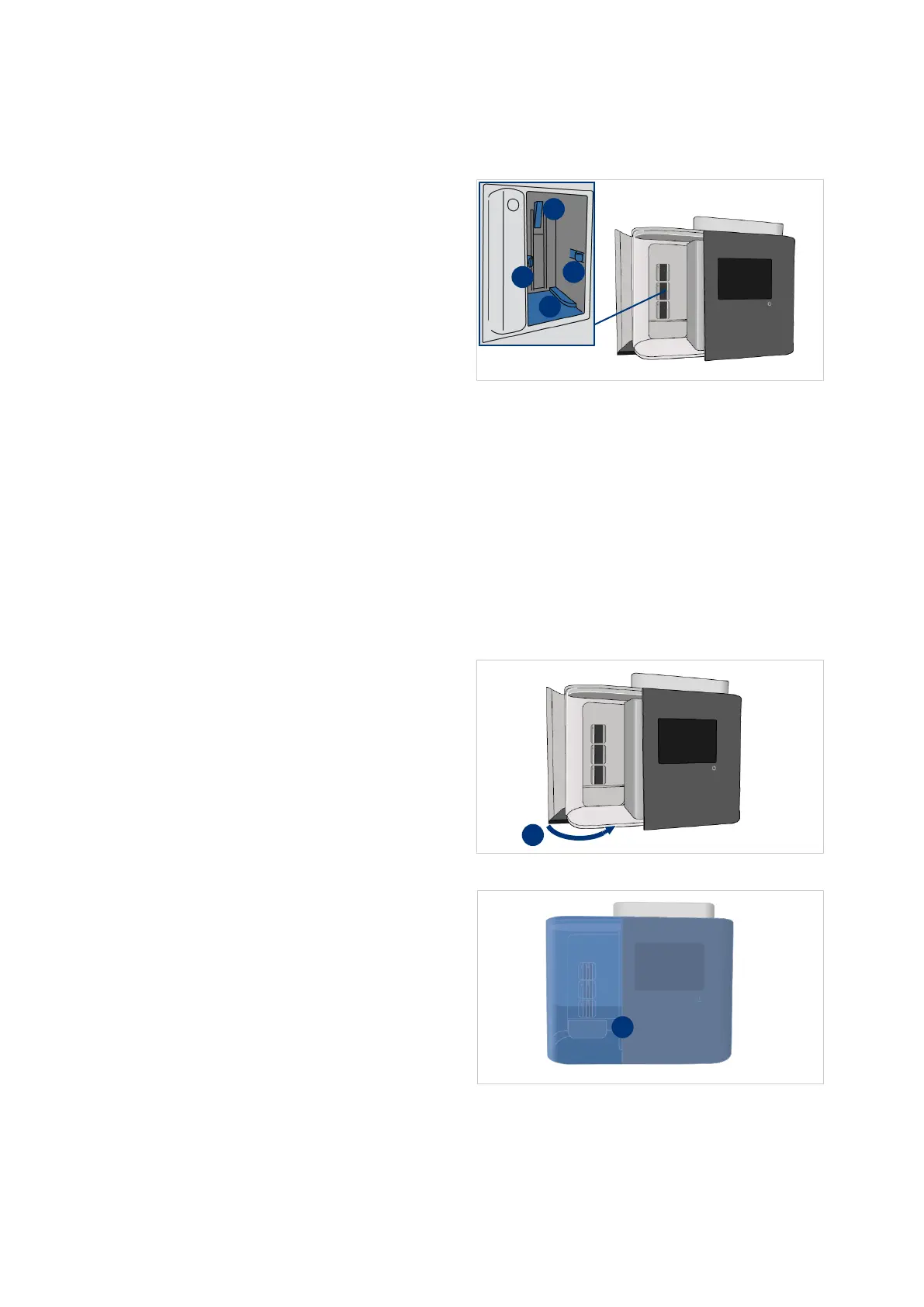
37. Clean all slots in the store area.
Use a dry lint free cloth or
microfiber swab.
– Carefully clean the rack
detection plate (I).
– Carefully clean the rack clips (II).
– Clean the bottom of the slot
(III).
38. When the slot is still polluted, use a
damp lint free cloth or damp
microfiber swab.
Only remove wax and/or mounting
media that can be easily removed.
NOTICE
To prevent errors, make sure to remove all cleaning materials and that all cleaned parts are
dry before closing the store door.
39. Close the store door (I).
40. Clean the exterior of the scanner (I)
including the user interface and
the table surroundings.
Use a lint free cloth, either dry or
damp.



 To Next Page