Troubleshooting Troubleshooting procedures
78
4522 207 12671/ * 2021-06-17
Pathology Scanner SG20 / SG60 / SG300
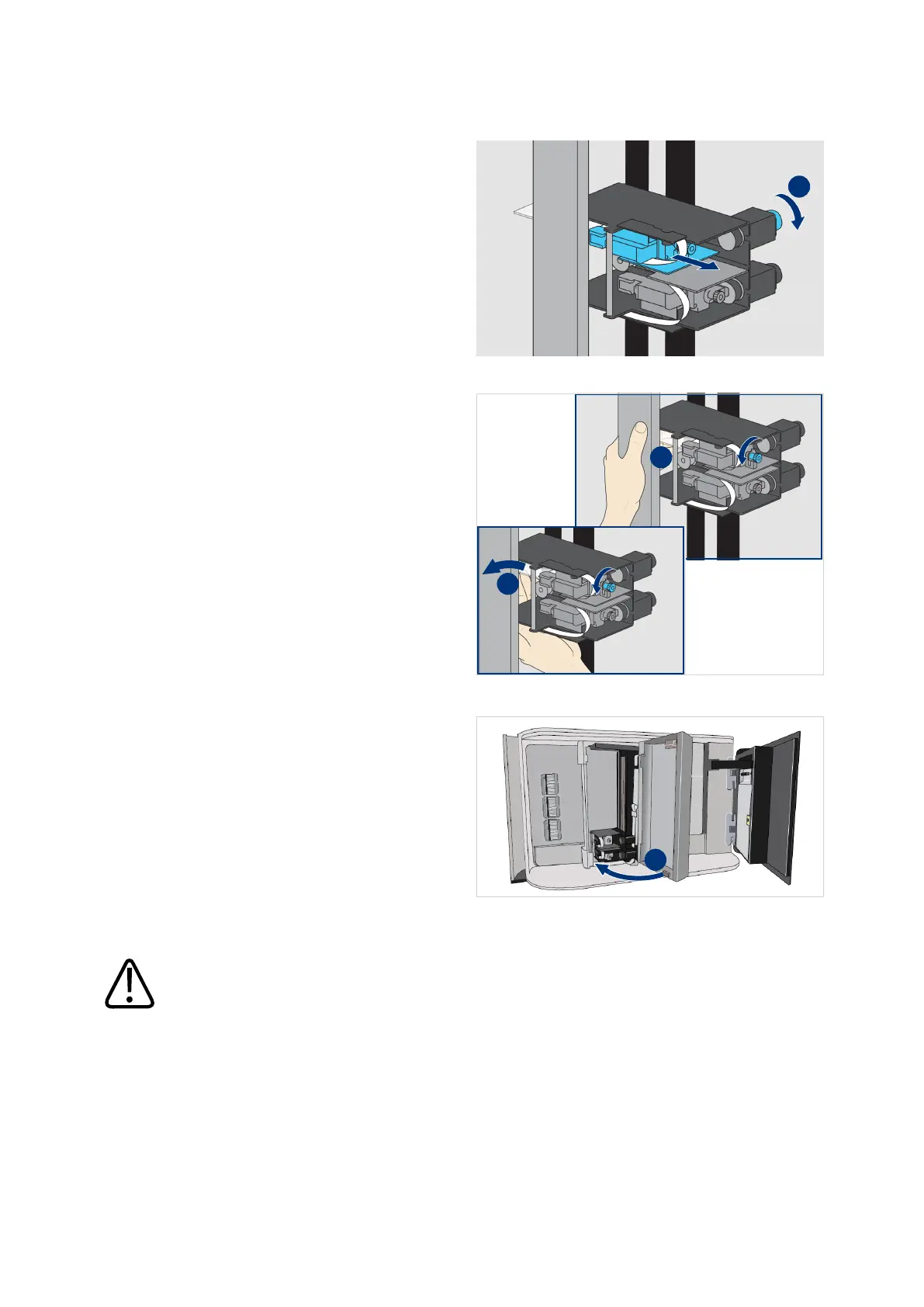
16. If necessary, turn the right side
knob to pull back the sticking out
gripper as far as possible (I).
17. If necessary, remove the sticking
out slide from the gripper.
– Hold the slide and turn the front
side knob to release the slide
(I).
– Remove the slide from the
gripper (II).
18. Close the handler door (I).
19. Make sure the door is completely
closed.
CAUTION
Make sure nothing is blocking movement of the handler.
Note: if the previous scan job was not completely finished, slides can be present in the
gripper or on the stage.



 To Next Page