Troubleshooting Troubleshooting procedures
84
4522 207 12671/ * 2021-06-17
Pathology Scanner SG20 / SG60 / SG300
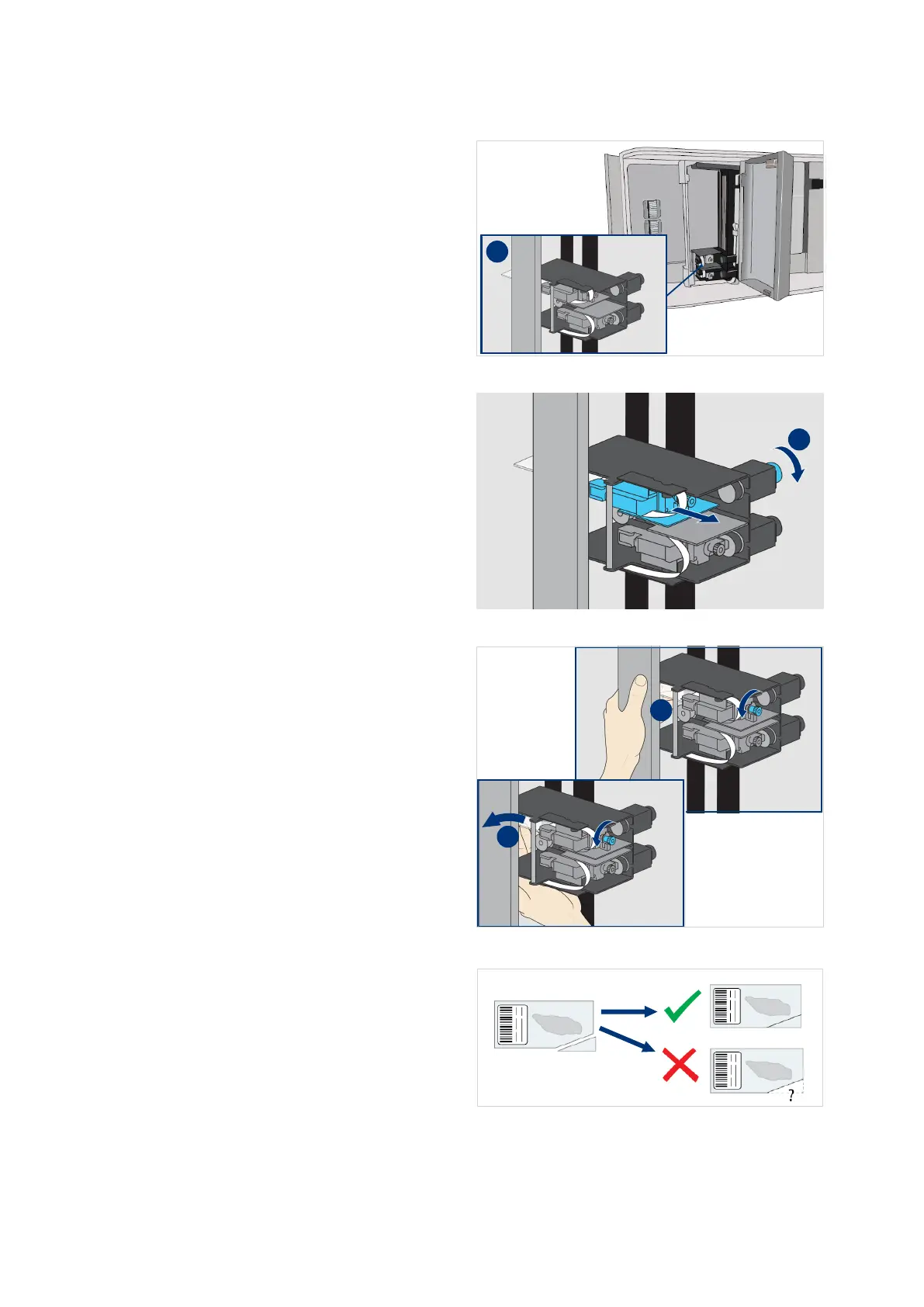
13. Check if the slide is stuck in the
upper gripper or lower gripper.
14. Turn the right side knob to pull
back the gripper with the stucked
slide as far as possible.
15. Hold the slide and turn the front
side knob to release the slide.
16. Remove the slide from the gripper.
17. Check the removed slide.
18. If it is damaged or broken, make
sure to remove all glass particles
from the system.



 To Next Page