13
English
Intensities (5300 only)
Intensity settings
Your power toothbrush comes with 2 different intensites:
- High intensity
- Low intensity
Note: We recommend high intensity for best results.
To manually select your desired intensity, press the power button within 2
seconds of starting or resuming the brushing when the toothbrush is on , to
toggle between the options.
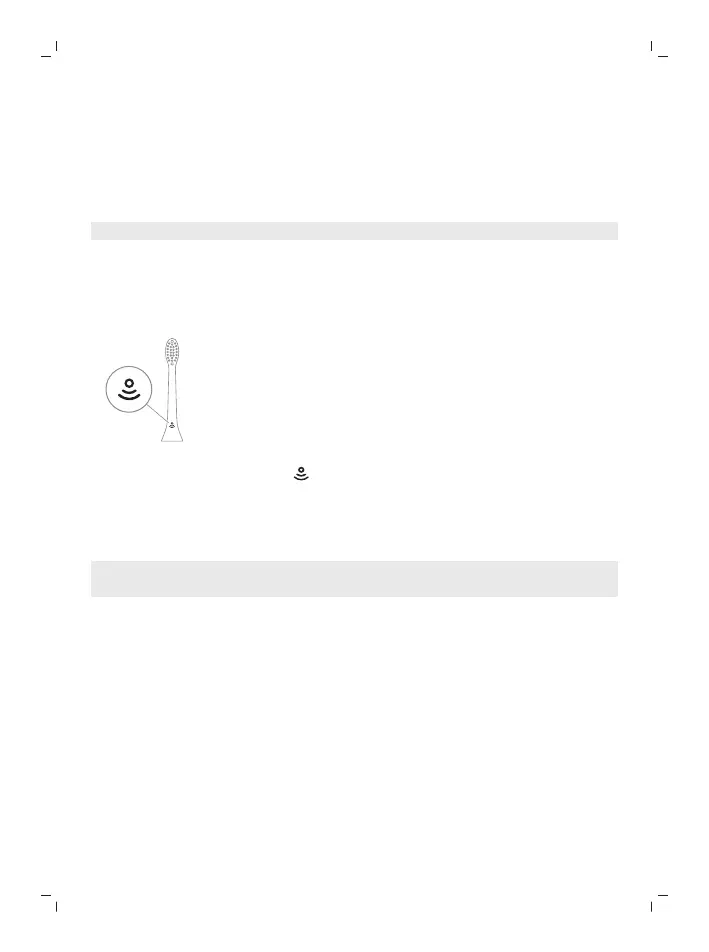
BrushSync technology
BrushSync technology enables your brush head to communicate with your
handle using a microchip. The symbol at the bottom of the brush head
indicates that the brush head is equipped with this technology.
BrushSync technology enables:
- Brush head replacement reminder
- BrushSync mode and intensity pairing
Note: The availability of BrushSync mode pairing depends on the model of
your toothbrush.
Philips Sonicare offers a wide range of smart brush heads, equipped with
BrushSync technology. To explore our full range of toothbrush brush heads,
and find the brush head that is best for you, go to
www.philips.com/toothbrush-heads for more information.
Features
- Pressure Sensor Feedback
- BrushPacer
- SmarTimer
- EasyStart
- Brush Head Replacement Reminder
- Brush Head Mode Pairing





 To Next Page