EN 65
English
j
AB replay icon
k
Current play speed
l
Current play mode
m
Clock
n
Battery indicator
o
Number of total files
p
Number of current files
Reminder
• In the Stop state, press “ ”button to switch over file
folders A, B, C and D.
6.1 Audio Play
(1) In the Stop Mode of recorded file, press ” ” to select
the folder you prefer.
(2) Press“ ”or“ ”to select a file to play.
(3) Press“ ”to start playing.
(4) Press“+”or“-”to adjust volume.
(5) Press“ ”to stop playing.
(6) When playing, press “ ”to pause, and press “ ” to
continue playing.
(7) When playing, press“ ”or“ ” for a few seconds to
fast forward or backward.
Reminders
• When the earphone is plugged into the earphone socket,
the speaker will stop working.
• Touch on the Previous icon and the previous audio will
be played. Touch on the Next icon and the next audio
will be played. Press Play/Stop icon, you can stop or
resume playing.
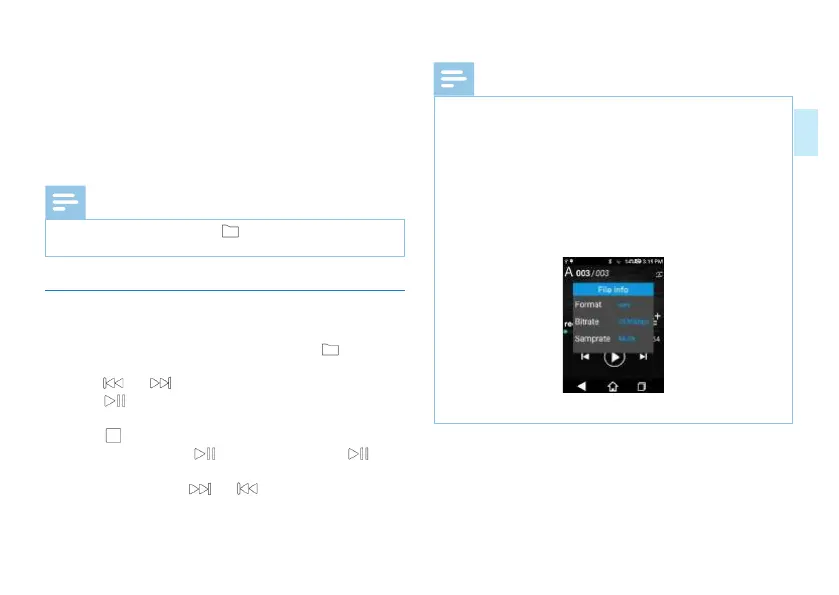
• Touch the File Info icon and you can view the format,
speed and sampling rate of the current recorded file.
• See the snapshot below on file information:
• Touch the current file icon, and switch to A/B/C/D file
folder.
• During playing, scroll the Playing Progress to fast forward
or rewind.














 To Next Page