EN 69
English
7 Video Recording Mode
When in the power-on state, press “ ” for a few seconds
to enter video recording mode.
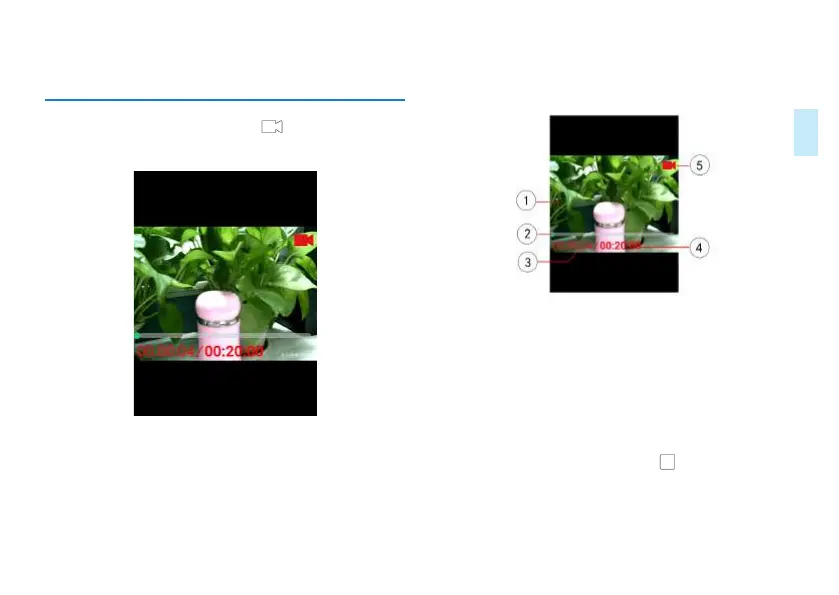
Screenshot of video recording interface is as follows:
Video recording interface diagram:
①
Video preview interface
②
Video recording progress bar
③
Current video recording time
④
Total time of a single video file
⑤
Video recording status
When video recording, shortly press “ ”to save the current
recorded file.














 To Next Page