44 45
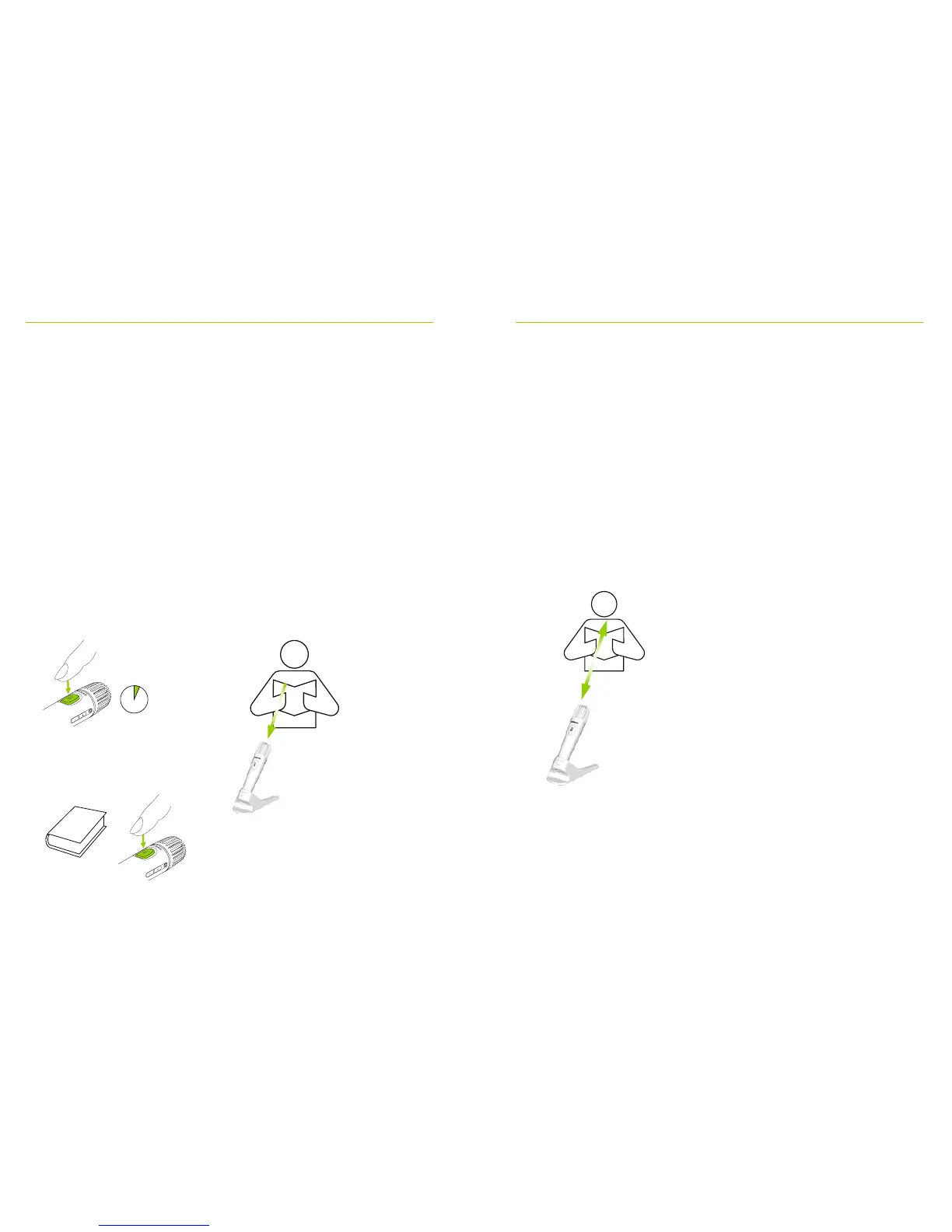
How to read a book with PTT activated:
• Press Roger Pass-around’s microphone button
• Green light indicates Roger Pass-around’s microphone
is active
• If other Roger Pass-arounds are in network, their
indicator lights will turn orange
• Hold book with both hands and talk in direction
of Roger Pass-around
• When done, press microphone button once more
to deactivate and unlock
• All indicator lights will turn o (no color)
How to read a book with PTT deactivated
(VAD default)
• Hold book with both hands and talk in direction of
Roger Pass-around
• Indicator light will turn green, indicating student’s voice
is being broadcast to Roger receivers and SoundField
• If other Roger Pass-arounds are in network, their
indicator lights will not change (no color)
• When done, the indicator light will turn o (no color)
30-40 cm | 12-16“
< 1 s
30-40 cm | 12-16“
C
BA



 To Next Page