56 57
16.15.2 Automute
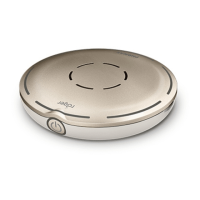
When Roger Pass-around is lying on a table, it will
automatically mute itself (Automute).
How to use it:
• To disable or enable Automute, tap Deactivate or
Activate
16.15.3 Mute button
This button is deactivated by default to avoid it being
inadvertently pressed when the device is passed around in
class. Can be activated if required.
How to use it:
• To enable or disable the mute button, press Activate or
Deactivate (default)
16.16 Power
Adjusts the microphone’s power emission (aecting its
operating range) in order to extend the battery’s operating
time.
How to use it:
• Select function required:
• Standard (default) (100 mW, range: 20 m / 65’)
• Reduced (16 mW, range: 12 m / 39’)
16.17 Connect settings
Selects the type of Connect function used.
How to use it:
• Select the type of Connect function required:
• Connect*
• Mass Connect**
* Connection of each device is conrmed on-screen.
** Connect icon is relabeled Mass Connect on home screen and
no individual conrmation of Roger receivers connection.
16.17.1 Connect
How to use it:
• Position device to be connected within 10 cm / 4”
of microphone
• Tap Connect
16.17.2 Mass Connect
How to use it:
• Tap Mass Connect
• Spinning connecting symbol is displayed
• Move microphone within 10 cm / 4” of each device to
be connected
• When complete, tap on spinning connecting symbol



 To Next Page